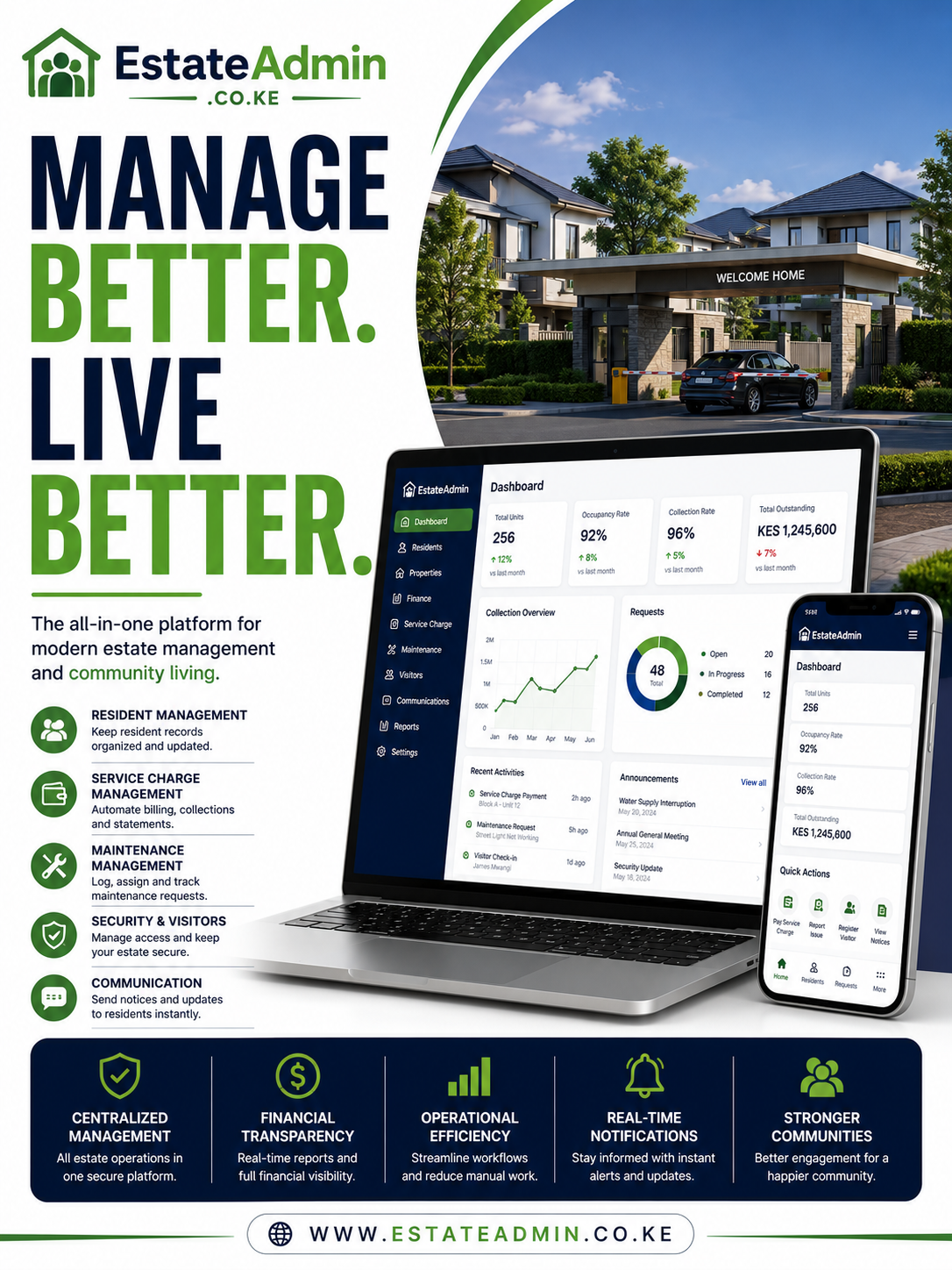
Service Charge Invoicing System: Complete Guide to Digital Billing for Property Managers

Service charge invoicing system

Service charge invoicing system technology helps property managers, estate administrators, landlords, homeowners associations, and residential communities organize recurring charges and create accurate invoices for residents and property owners. Instead of relying on spreadsheets, paper records, or manually prepared bills, management can use a centralized platform to automate billing, track payments, monitor balances, and maintain clear financial records.

For apartments, gated communities, commercial buildings, and managed estates, service charges are an important part of maintaining shared facilities and essential services. Security, cleaning, landscaping, waste collection, common-area electricity, lift maintenance, repairs, and other shared expenses often depend on timely contributions from residents.

When billing is handled manually, management can face delayed invoices, incorrect calculations, missing payments, duplicated records, and difficulties following up outstanding balances. A digital invoicing platform provides a more structured approach by connecting residents, units, charges, invoices, payments, and financial reports in one environment.

Table of Contents

What Is a Service Charge Invoicing System?

A service charge invoicing system is software that enables property managers to create, issue, track, and manage invoices for shared property expenses.

Instead of preparing invoices individually, management can configure the charges applicable to each unit and generate bills according to a predefined schedule.

The system can help manage:

  • Recurring service charges
  • Resident accounts
  • Unit information
  • Invoice generation
  • Payment recording
  • Payment reconciliation
  • Outstanding balances
  • Digital receipts
  • Statements
  • Payment reminders
  • Financial reports

The objective is to create a consistent billing process from the moment a charge is created until the payment is received and reconciled.

Why Service Charge Billing Matters

Service charges contribute toward the operation and maintenance of shared property facilities.

A residential development may use these contributions to pay for:

  • Security guards
  • Cleaning services
  • Landscaping
  • Waste management
  • Lift servicing
  • Generator maintenance
  • Common-area lighting
  • Water systems
  • Repairs
  • Pest control
  • Management expenses

If residents are not invoiced accurately and on time, collections can be affected.

Poor collections can then make it harder for management to pay suppliers and maintain services.

This makes efficient invoicing an important part of property administration.

The Challenges of Manual Service Charge Invoicing

Many estates still depend on spreadsheets for billing.

A spreadsheet can be useful for basic record keeping, but managing a large number of units manually introduces several challenges.

Repetitive Data Entry

Staff may repeatedly enter:

  • Resident names
  • Unit numbers
  • Charge amounts
  • Invoice dates
  • Due dates
  • Previous balances

The larger the property, the more time this can consume.

Calculation Errors

A simple mistake in a formula or manually entered amount can result in an incorrect invoice.

For example, if the approved monthly charge is KSh 7,500 but the invoice is accidentally generated for KSh 8,500, management may have to correct the bill and explain the difference to the resident.

Delayed Billing

Preparing hundreds of invoices manually can delay the billing cycle.

Late invoices can result in late payments.

Difficult Reconciliation

When invoices are maintained in one spreadsheet and payments in another, matching transactions becomes more complicated.

Limited Visibility

Management may struggle to immediately determine:

  • How much has been invoiced
  • How much has been collected
  • How much remains outstanding
  • Which units are overdue

A centralized system addresses many of these problems.

Centralized Billing

One of the key benefits of a service charge invoicing system is centralized billing.

All relevant information can be maintained within one platform.

For example:

Estate → Block → Unit → Resident → Service Charge → Invoice → Payment

This structure allows management to retrieve information quickly.

Instead of searching through multiple files, an administrator can open the resident or unit account and review the relevant billing history.

Recurring Service Charges

Service charges are usually recurring.

An estate may bill residents monthly, quarterly, or according to another approved schedule.

Rather than manually creating every invoice, management can configure the recurring charge.

For example:

Monthly service charge: KSh 6,500

Billing date: 1st of every month

Due date: 10th of every month

Once configured, invoices can be generated according to the established schedule.

This reduces repetitive administrative work.

Bulk Invoice Generation

Large properties may have hundreds of units.

Creating each invoice individually can be inefficient.

Bulk invoice generation allows management to generate invoices for many units simultaneously.

For example, an estate with 400 apartments can generate the monthly service charge invoices in one billing process instead of preparing 400 separate documents.

This can save significant administrative time.

Different Charges for Different Units

Not every unit necessarily pays the same amount.

Service charges may differ because of:

  • Unit size
  • Property type
  • Service allocation
  • Parking
  • Shared facilities
  • Approved management policies

A flexible billing platform should allow different charges to be assigned to different units.

This makes the billing process more adaptable.

Fixed Service Charges

Some developments apply a fixed amount to each unit.

For example:

Unit A101 — KSh 7,000

Unit A102 — KSh 7,000

Unit A103 — KSh 7,000

A digital platform can automatically generate the recurring invoice for each applicable unit.

Variable Service Charges

Other developments may calculate charges based on a particular allocation method.

The amount may depend on:

  • Unit size
  • Ownership share
  • Service allocation
  • Approved contribution ratios

A suitable system should support the billing structure used by the property.

Additional Charges

A service charge invoice may contain more than the standard recurring amount.

Additional charges can include:

  • Parking fees
  • Water charges
  • Special maintenance contributions
  • Facility charges
  • Approved penalties
  • Other property-related fees

The system can consolidate these amounts into the resident’s account.

Consolidated Invoices

A consolidated invoice provides residents with a complete view of what they owe.

For example:

Description Amount
Service charge KSh 7,500
Parking KSh 2,000
Water KSh 1,250
Previous balance KSh 500
Total due KSh 11,250

Instead of receiving several separate bills, the resident can receive one clear invoice.

Invoice Numbering

Each invoice should have a unique reference.

For example:

SC-2026-0001

SC-2026-0002

SC-2026-0003

Automated numbering reduces the risk of duplicate invoice numbers and makes historical records easier to locate.

Residents can also use the invoice number when contacting management about a particular bill.

Billing Periods

A service charge invoice should clearly identify the period being billed.

For example:

Service Charge — September 2026

This prevents confusion when residents have several invoices or outstanding balances.

Historical billing records can then be organized chronologically.

Invoice Due Dates

Every invoice should have a clear payment deadline.

A digital platform can store the due date and use it for automated reminders.

For example:

Invoice Date: September 1, 2026

Due Date: September 10, 2026

This makes it easier to distinguish current invoices from overdue accounts.

Digital Invoice Delivery

Once an invoice has been generated, it needs to reach the resident.

A modern system can support digital delivery through available communication channels such as:

  • Email
  • SMS
  • Resident portals
  • Mobile applications
  • Other integrated channels

Digital delivery reduces dependence on printed documents.

Email Invoices

Email is useful for sending detailed invoices and account statements.

Residents can retain the invoice electronically and refer to it when making payment.

Management also avoids printing and manually distributing hundreds of documents.

SMS Notifications

SMS can be used for shorter billing notifications.

For example:

“Your September service charge invoice is KSh 7,500 and is due on September 10.”

The message can direct the resident to the appropriate payment method or resident portal.

Resident Portals

A resident portal can provide direct access to billing information.

Depending on the platform, residents may be able to:

  • View invoices
  • Check balances
  • Download statements
  • Download receipts
  • Make payments
  • Submit maintenance requests
  • Receive announcements

This reduces the need for residents to contact the management office for routine account information.

Payment Tracking

Invoice generation is only one part of the billing process.

Management must also know whether invoices have been paid.

A digital system can categorize invoices as:

  • Draft
  • Issued
  • Partially paid
  • Paid
  • Overdue
  • Cancelled

This gives the finance team a quick overview of collections.

Partial Payments

Residents may sometimes make payments that do not completely settle an invoice.

For example:

Invoice: KSh 10,000

Payment: KSh 6,000

Balance: KSh 4,000

The system should maintain the outstanding amount rather than marking the invoice as fully paid.

This is particularly important for estates that allow residents to make payments in installments.

Payment Allocation

When a resident makes a payment, it needs to be allocated correctly.

The system should identify the appropriate:

  • Resident
  • Unit
  • Account
  • Invoice
  • Amount
  • Transaction reference

Correct allocation ensures that account balances remain accurate.

M-PESA Payments

M-PESA is an important consideration for property billing in Kenya.

A suitable service charge invoicing system can integrate with M-PESA payment workflows where supported.

This can allow payments to be associated with resident accounts and reduce manual entry.

For estates processing many M-PESA transactions, automated payment matching can significantly simplify reconciliation.

Bank Payments

Some residents may use bank transfers instead of mobile payments.

The billing platform should therefore support appropriate workflows for recording bank payments.

Management can then maintain a consolidated view of payments regardless of the payment channel.

Digital Receipts

Residents need confirmation after making a payment.

A digital receipt can show:

  • Receipt number
  • Resident name
  • Unit
  • Amount paid
  • Payment method
  • Transaction reference
  • Date
  • Remaining balance

This creates a clear record for both the resident and management.

Automatic Payment Reconciliation

Payment reconciliation involves matching received funds to the appropriate resident account.

Manual reconciliation can become difficult when an estate receives many transactions.

A connected workflow can simplify the process:

Payment received → Transaction identified → Resident matched → Invoice matched → Payment recorded → Balance updated

This reduces repetitive accounting work.

Resident Statements

A statement provides a broader view than an individual invoice.

It can show:

  • Opening balance
  • Invoices
  • Payments
  • Credits
  • Adjustments
  • Closing balance

A resident can therefore understand how the current balance was reached.

Automated Payment Reminders

A digital platform can automate payment reminders.

For example:

Before due date: Reminder about the upcoming payment.

On due date: Notification that payment is due.

After due date: Reminder that the account remains outstanding.

Automated reminders help create a consistent collection process.

Managing Outstanding Balances

Outstanding service charges can affect an estate’s financial position.

Management should have an easy way to identify accounts with unpaid invoices.

A dashboard can display:

  • Total outstanding
  • Number of overdue accounts
  • Amount overdue
  • Oldest outstanding invoice
  • Resident or unit
  • Days overdue

This allows management to prioritize collection activities.

Arrears Aging

An aging report can classify balances according to how long they have remained unpaid.

For example:

Period Outstanding
Current KSh 400,000
30 days KSh 180,000
60 days KSh 90,000
90 days KSh 50,000
Over 90 days KSh 35,000

This gives management a clearer picture of collection risk.

Collection Reports

Management can monitor the relationship between invoiced amounts and payments received.

For example:

Total invoices: KSh 6,000,000

Collected: KSh 5,400,000

Outstanding: KSh 600,000

This information can be presented in monthly financial reports.

Collection Rate

A useful performance indicator is the collection rate.

The formula is:

Collection Rate = Amount Collected ÷ Amount Invoiced × 100

If an estate invoices KSh 5 million and collects KSh 4.75 million, the collection rate is 95%.

Monitoring this figure over several months can help management identify whether collections are improving or declining.

Reducing Billing Errors

A structured digital process can reduce common billing errors.

These may include:

  • Wrong resident
  • Wrong unit
  • Incorrect charge
  • Duplicate invoice
  • Incorrect balance
  • Missing payment
  • Wrong due date

Automated calculations and centralized records can help minimize these problems.

Invoice Adjustments

Sometimes an invoice needs to be corrected.

For example:

  • A charge was entered incorrectly.
  • A resident received an approved credit.
  • A payment was previously misallocated.
  • A billing rule was incorrectly applied.

The system should provide controlled adjustment tools.

Changes should be documented rather than simply deleting financial records.

Credit Notes

Credit notes can document approved reductions to previously issued invoices.

This creates a more transparent financial history.

For example:

Original invoice: KSh 10,000

Approved credit: KSh 2,000

Adjusted amount: KSh 8,000

The transaction remains traceable.

Invoice Cancellation

If an invoice is created incorrectly, management may need to cancel it.

A proper system should record the cancellation rather than permanently deleting the invoice.

This protects the integrity of the billing history.

Audit Trails

Financial information requires accountability.

A digital platform can maintain an audit trail showing relevant activities.

This can include:

  • Invoice creation
  • Invoice modification
  • Payment entry
  • Payment adjustment
  • Invoice cancellation
  • Credit approval

The record can also identify the user and time associated with the action.

User Permissions

Different members of the property management team should not necessarily have identical access.

For example:

Accountant: Billing and payment management.

Estate Manager: Resident and operational information.

Administrator: System configuration.

Committee Member: Approved reports.

Resident: Own account information.

Role-based permissions help protect financial data.

Multi-Property Management

Property management companies may manage multiple residential developments.

A scalable platform can organize several estates under one account.

For example:

Property Management Company

→ Estate A
→ Estate B
→ Estate C
→ Estate D

Each property can maintain separate residents, units, invoices, and payments.

Management can still obtain portfolio-level reports where required.

Block and Unit Management

Large developments often contain multiple blocks.

A structured database can organize:

Estate → Block → Floor → Unit → Resident

This makes it easier to locate billing information.

Management can also generate reports by estate, block, or unit.

Financial Dashboards

A financial dashboard can provide an overview of service charge performance.

Important indicators can include:

  • Total billed
  • Total collected
  • Outstanding balance
  • Collection percentage
  • Overdue accounts
  • Monthly collections

This gives management immediate visibility without manually preparing calculations.

Expense Visibility

Service charge collections should ultimately support property expenses.

Management can compare collected funds against costs such as:

  • Security
  • Cleaning
  • Repairs
  • Utilities
  • Landscaping
  • Waste management
  • Equipment maintenance

This helps management evaluate whether collections are sufficient to support operations.

Budget Monitoring

A digital platform can also support budget analysis.

Management can compare planned expenses with actual expenditure.

For example:

Annual security budget: KSh 1,500,000

Actual expenditure: KSh 1,580,000

Variance: KSh 80,000

Such information can help management investigate unexpected increases.

Reports for Property Managers

Property managers need reports that support everyday decision-making.

Useful reports include:

  • Invoice report
  • Payment report
  • Outstanding balance report
  • Arrears aging report
  • Collection report
  • Resident statement
  • Service charge summary
  • Expense report

Automated reporting reduces manual spreadsheet preparation.

Reports for Management Committees

Management committees may require summarized financial information.

A digital system can provide reports showing:

  • Total service charges billed
  • Total collected
  • Outstanding balances
  • Collection rate
  • Major expenses
  • Budget performance

This improves financial visibility during management meetings.

Improving Transparency

Residents want to understand how much they owe and why.

Clear invoices and accessible statements can improve transparency.

Instead of simply receiving a message saying “You owe KSh 10,000,” the resident can receive an itemized record showing the charges that make up the amount.

This can reduce unnecessary billing disputes.

Managing Billing Disputes

When a resident questions an invoice, staff should be able to investigate the account quickly.

The system can provide access to:

  • Original invoice
  • Previous invoices
  • Payments
  • Receipts
  • Adjustments
  • Credits
  • Current balance

This makes it easier to determine whether the account is correct.

Cloud-Based Access

A cloud-based platform allows authorized users to access information through an internet-connected device.

This can be useful for property managers who move between different estates.

Instead of depending on one office computer, authorized staff can access the system according to their permissions.

Mobile Access

Mobile-friendly billing systems can improve responsiveness.

A property manager visiting an estate may need to check whether a particular unit has paid its service charge.

With mobile access, the manager can potentially review the account without returning to the office.

Data Security

Billing platforms contain financial and resident information, making security an important consideration.

Management should evaluate:

  • Password protection
  • Authentication
  • User permissions
  • Encryption
  • Secure backups
  • Activity logs
  • Data access controls

Only authorized users should have access to sensitive financial information.

Data Backups

Invoices and payment records should be protected against accidental loss.

Important information can include:

  • Resident accounts
  • Invoice history
  • Payment records
  • Receipts
  • Statements
  • Financial reports
  • Billing configurations

Automated backups can provide additional protection.

Choosing the Right Platform

Before implementing a service charge invoicing system, property managers should identify their specific requirements.

Important features to evaluate include:

  • Recurring billing
  • Bulk invoicing
  • Different charge structures
  • M-PESA integration
  • Bank payment tracking
  • Automatic reconciliation
  • Digital receipts
  • Resident statements
  • Payment reminders
  • Arrears tracking
  • Financial dashboards
  • Reporting
  • Role-based permissions
  • Audit trails
  • Multi-property management
  • Resident portals
  • Mobile access
  • Data backups

The best solution is not necessarily the one with the longest feature list. It should be the one that fits the estate’s actual billing and management workflow.

Advanced Billing, Collections, Accounting and Estate Management

A modern service charge invoicing system does more than produce monthly bills. It can connect the entire billing cycle, from calculating charges and issuing invoices to receiving payments, updating resident accounts, monitoring arrears, and generating financial reports.

For property managers handling apartments, gated communities, commercial developments, and managed estates, this connected approach can reduce administrative work while providing better visibility into the financial position of the property.

Automating the Monthly Billing Cycle

One of the most useful capabilities of digital billing software is recurring automation.

Instead of recreating charges every month, management can establish billing rules once and allow the system to apply them according to the selected schedule.

A typical workflow can be:

Billing schedule → Charge calculation → Invoice generation → Invoice delivery → Payment → Reconciliation → Receipt

This reduces repetitive work and helps ensure that invoices are produced consistently.

Managing Different Billing Schedules

Not every charge follows the same frequency.

An estate may have:

  • Monthly service charges
  • Quarterly facility charges
  • Annual parking fees
  • One-time maintenance contributions
  • Consumption-based utility charges

The software should allow management to configure different schedules rather than forcing every charge into one billing cycle.

Managing One-Time Charges

Special contributions may occasionally be required.

For example, residents may be required to contribute toward:

  • Major repairs
  • Painting
  • Roof replacement
  • Security upgrades
  • Equipment replacement
  • Common-area improvements

Instead of adding these amounts manually to every account, management can create a controlled billing campaign for the affected units.

Special Assessments

Special assessments should be clearly distinguished from ordinary recurring service charges.

A resident should be able to identify:

Regular service charge

and

Special assessment

as separate items on the invoice.

This improves transparency and makes financial reporting easier.

Utility and Service Charge Consolidation

Residents may receive multiple charges during a billing period.

A centralized platform can combine applicable charges into one account.

For example:

Charge Amount
Service charge KSh 8,000
Water KSh 1,600
Parking KSh 2,500
Special maintenance contribution KSh 1,000
Total KSh 13,100

This gives residents a single view of their financial obligations.

Automated Calculations

Manual calculations are one of the areas where errors can occur.

Software can apply predefined formulas to calculate:

  • Fixed charges
  • Metered consumption
  • Percentage-based charges
  • Allocated expenses
  • Approved penalties
  • Credits
  • Discounts

The exact calculation method should reflect the property’s approved billing rules.

Managing Water Consumption

Water is frequently one of the charges that estates need to monitor.

A digital system can store:

  • Unit
  • Meter number
  • Previous reading
  • Current reading
  • Consumption
  • Applicable rate
  • Amount charged

Where meter integration is available, readings may be imported automatically.

Tracking Meter Readings

Historical readings are useful for identifying unusual consumption.

For example, if a unit normally consumes 20 cubic metres but suddenly records 60 cubic metres, management may investigate whether there is:

  • A leaking pipe
  • A faulty meter
  • An incorrect reading
  • Unusual consumption

This turns billing information into an operational management tool.

Payment Allocation

When money is received, it needs to be allocated correctly.

A reliable billing workflow should associate the transaction with the appropriate:

  • Resident
  • Unit
  • Account
  • Invoice
  • Amount
  • Payment reference

Accurate allocation keeps balances up to date.

M-PESA Reconciliation

For Kenyan properties, M-PESA integration can be particularly valuable.

Instead of manually reviewing payment messages and updating spreadsheets, an integrated platform can assist with matching transactions to resident accounts.

The process can become:

M-PESA transaction → Payment reference → Resident account → Invoice → Updated balance

This can reduce reconciliation workload.

Bank Transfer Reconciliation

Bank transfers can also be recorded against resident accounts.

A property manager may need to review bank transactions and identify the relevant unit or invoice.

Where automation or accounting integrations are available, this process can be streamlined.

Handling Unidentified Payments

Sometimes a payment is received without enough information to immediately determine who made it.

A good financial workflow should allow the payment to be recorded as unidentified while management investigates.

Once the correct account is established, the transaction can be allocated.

This is safer than assigning payments based on assumptions.

Payment Reversals

Occasionally, a payment may need to be reversed.

For example:

  • A transaction was duplicated.
  • A payment was incorrectly allocated.
  • A bank reversal occurred.
  • An erroneous entry was recorded.

The system should preserve the original transaction history and document the reversal.

Digital Receipts

Once a payment has been successfully processed, a receipt can be generated.

A receipt may contain:

  • Receipt number
  • Resident name
  • Unit
  • Payment date
  • Amount
  • Payment method
  • Transaction reference
  • Balance

Digital receipts are easier to retrieve than paper documents.

Automated Statements

Residents can benefit from having immediate access to their account statements.

A statement can show the complete financial history rather than only the latest invoice.

This is particularly helpful when residents have questions about previous payments or balances.

Arrears Monitoring

Outstanding service charges can affect the ability of an estate to maintain its operations.

A centralized dashboard can identify:

  • Total arrears
  • Number of overdue accounts
  • Amount per resident
  • Age of outstanding balances
  • Previous collection activity

Management can then prioritize follow-up.

Aging Analysis

Aging reports divide outstanding balances into time periods.

For example:

Aging Period Balance
Current KSh 250,000
30 days KSh 100,000
60 days KSh 60,000
90 days KSh 35,000
Over 90 days KSh 20,000

The older an outstanding balance becomes, the more attention it may require.

Automated Arrears Reminders

Instead of manually contacting every resident, management can configure reminder schedules.

For example:

Reminder 1: Before the due date

Reminder 2: On the due date

Reminder 3: Shortly after the due date

Reminder 4: Follow-up for older arrears

This creates a standardized collection process.

Collection Prioritization

Not every outstanding account requires the same level of attention.

Management can prioritize based on:

  • Amount owed
  • Age of arrears
  • Payment history
  • Number of missed invoices
  • Previous collection attempts

This allows staff to focus their efforts where they are most needed.

Collection Performance Reports

Management should be able to determine whether collection performance is improving.

Important figures include:

  • Total billed
  • Total collected
  • Total outstanding
  • Collection percentage
  • Number of overdue accounts

These figures can be reviewed monthly.

Calculating Collection Rates

The collection rate can be calculated as:

Collection Rate = Amount Collected ÷ Amount Billed × 100

For example:

Amount billed: KSh 4,000,000

Amount collected: KSh 3,800,000

Collection rate: 95%

Tracking this metric over time provides useful information about financial performance.

Financial Forecasting

Historical billing information can assist management with forecasting.

If an estate normally collects 95% of its monthly charges, management can use historical performance when estimating expected cash inflows.

This can support planning for:

  • Security payments
  • Cleaning
  • Utilities
  • Repairs
  • Supplier invoices
  • Planned projects

Budget Management

Service charge collections should be considered alongside the estate budget.

Management can compare:

Expected collections

against

Expected expenses

This helps determine whether current charges are sufficient to support planned operations.

Monitoring Budget Variances

Suppose the estate budgets KSh 1 million for maintenance but spends KSh 1.2 million.

The KSh 200,000 variance requires investigation.

A digital platform can help management identify where spending is exceeding expectations.

Expense Categories

Expenses can be categorized into areas such as:

  • Security
  • Cleaning
  • Landscaping
  • Repairs
  • Water
  • Electricity
  • Waste management
  • Lift maintenance
  • Administration

Categorization improves reporting.

Linking Income and Expenses

A complete property management environment can connect resident collections with estate expenses.

This allows management to understand:

What was billed → What was collected → What was spent

This provides a more complete financial picture.

Supplier Invoice Management

Property managers also receive invoices from suppliers.

For example:

  • Security companies
  • Cleaning companies
  • Plumbers
  • Electricians
  • Landscapers
  • Lift maintenance companies

A broader financial platform can help track these supplier obligations alongside resident collections.

Purchase and Approval Workflows

Where supported, management can establish approval procedures for expenses.

For example:

Supplier invoice → Review → Approval → Payment → Accounting record

This creates stronger internal financial controls.

Financial Reporting

A service charge invoicing system can generate reports without requiring management to manually combine spreadsheets.

Useful reports include:

  • Invoice register
  • Payment register
  • Outstanding balances
  • Arrears aging
  • Collection report
  • Resident statements
  • Revenue by charge
  • Revenue by property
  • Expense report
  • Budget variance

Monthly Management Reports

A monthly report can summarize the financial position of the estate.

For example:

Total billed: KSh 6,000,000

Total collected: KSh 5,550,000

Outstanding: KSh 450,000

Collection rate: 92.5%

This gives management a quick understanding of performance.

Multi-Property Reporting

Property management companies may manage several estates.

A centralized platform can allow management to compare properties.

For example:

Property Billed Collected Collection Rate
Estate A KSh 5M KSh 4.8M 96%
Estate B KSh 4M KSh 3.5M 87.5%
Estate C KSh 6M KSh 5.7M 95%

This can help identify which properties require additional attention.

Resident Communication

Financial administration should be supported by clear communication.

Management can send:

  • Invoice notifications
  • Payment reminders
  • Receipt confirmations
  • Account statements
  • General notices
  • Maintenance announcements

Centralizing these communications can make resident engagement more consistent.

Handling Resident Queries

When a resident contacts management about an invoice, staff should be able to access the account quickly.

The account may show:

  • Current invoice
  • Previous invoices
  • Payments
  • Receipts
  • Adjustments
  • Credits
  • Outstanding amount

This allows staff to respond using the same information available to the resident.

Reducing Billing Disputes

Clear invoices can prevent many misunderstandings.

An invoice should clearly show:

  • Resident
  • Unit
  • Billing period
  • Charge description
  • Amount
  • Due date
  • Previous balance
  • Current balance

Detailed information makes it easier for residents to verify their accounts.

Credit Notes and Adjustments

Approved credits should be recorded systematically.

For example:

Original service charge: KSh 10,000

Approved credit: KSh 1,500

Net charge: KSh 8,500

Recording the adjustment preserves a clear history.

Audit Trails

An audit trail records significant activities in the system.

It can show:

  • User
  • Action
  • Date
  • Time
  • Record affected

For financial systems, this provides additional accountability.

Role-Based Access

Staff should receive only the permissions necessary for their responsibilities.

For example:

Finance team: Billing and payments

Estate manager: Residents and operations

Maintenance team: Service requests

Management committee: Approved reports

Residents: Their own accounts

This reduces unnecessary exposure to sensitive information.

Data Security

Resident billing information should be protected.

Management should evaluate whether the platform provides:

  • Secure authentication
  • Role-based permissions
  • Encryption
  • Backups
  • Activity logs
  • Access controls

Security should be considered before migrating financial records.

Cloud-Based Billing

Cloud technology allows authorized users to access the system through supported devices.

This can benefit management companies overseeing properties across Nairobi and other locations.

Instead of keeping billing information on one office computer, authorized users can access it according to their permissions.

Mobile-Friendly Management

Mobile access can help managers respond quickly while working outside the office.

For example, during an estate inspection, a manager may need to verify a resident’s account.

A mobile-friendly platform can make that information accessible without requiring the manager to return to a desktop computer.

Resident Self-Service

Self-service reduces routine administrative requests.

Residents can potentially:

  • View invoices
  • Check balances
  • Download receipts
  • Download statements
  • Make payments
  • Submit service requests

This gives residents more control over their information.

Managing Owners and Tenants

In some developments, the property owner and tenant are different people.

The system should maintain the relationship between:

Owner → Unit → Tenant → Account

This allows management to send relevant information to the appropriate party.

Unit-Based Accounting

Property records should remain linked to specific units.

For example:

Apartment B204

can have:

  • Resident
  • Owner
  • Tenant
  • Service charge
  • Water account
  • Parking
  • Payment history
  • Outstanding balance

This structure makes account management easier.

Handling Vacant Units

Vacant units may have different billing requirements.

Management should be able to identify vacant properties and apply the relevant billing rules.

This prevents invoices from being sent to inactive residents.

Commercial Property Billing

The same technology can be adapted for commercial developments.

Commercial units may have charges for:

  • Service charges
  • Utilities
  • Parking
  • Security
  • Common-area services
  • Maintenance

Because commercial tenants can have different billing arrangements, flexible invoicing is especially important.

Mixed-Use Developments

Mixed-use properties combine residential and commercial units.

A single development may therefore have:

  • Apartments
  • Shops
  • Offices
  • Restaurants
  • Parking facilities

Each category may require different billing structures.

A flexible system can maintain separate charge configurations while keeping the property under one management environment.

Managing Shared Facilities

Shared facilities can generate additional charges.

Examples include:

  • Clubhouses
  • Function rooms
  • Gyms
  • Swimming pools
  • Conference rooms

Management can track facility-related charges where applicable.

Parking Charges

Parking can be linked to resident accounts.

For example:

Unit C105 → Parking Space P24 → Monthly Parking Fee

This makes parking revenue easier to track.

Scaling Estate Operations

As an estate grows, manual administration becomes increasingly difficult.

A digital platform can scale by allowing management to add:

  • More units
  • More residents
  • More properties
  • More billing categories
  • More users

This supports long-term growth.

Choosing Software Based on Estate Size

A small estate may only need:

  • Resident management
  • Recurring billing
  • Payments
  • Statements
  • Basic reporting

A larger property management company may require:

  • Multi-property management
  • Advanced accounting
  • M-PESA integration
  • Automated reconciliation
  • Utility billing
  • Maintenance
  • Vendor management
  • Detailed reporting

The system should therefore be selected according to actual requirements.

Implementation Planning

Successful implementation starts with preparation.

Management should first document its current billing process.

This includes:

  • How charges are calculated
  • How invoices are created
  • How payments are received
  • How receipts are issued
  • How arrears are followed up
  • How reports are prepared

The new platform should then be configured around the approved workflow.

Cleaning Existing Data

Before importing information, management should verify:

  • Unit numbers
  • Resident names
  • Contact details
  • Current balances
  • Outstanding invoices
  • Previous payments
  • Charge rates

Poor-quality data can create problems after migration.

Staff Training

Staff should be trained before the system becomes the primary billing platform.

Training should cover:

  • Invoice generation
  • Payment recording
  • Reconciliation
  • Statements
  • Adjustments
  • Reports
  • User permissions

Proper training reduces implementation errors.

Resident Onboarding

Residents should also be introduced to the new billing process.

Management should explain:

  • How invoices will be received
  • How payments should be made
  • How statements can be accessed
  • How receipts are obtained
  • How billing queries should be submitted

Clear communication improves adoption.

Measuring Software Performance

After implementation, management should track results.

Useful indicators include:

  • Invoice processing time
  • Collection rate
  • Outstanding balances
  • Reconciliation time
  • Billing disputes
  • Administrative workload
  • Resident adoption

These metrics help determine whether the system is delivering practical benefits.

Building an Efficient Digital Billing Environment

The objective of a service charge invoicing system is to create a connected process rather than simply replacing printed invoices.

A mature workflow can connect:

Property → Unit → Resident → Charge → Invoice → Payment → Receipt → Statement → Report

This provides management with a single source of financial information.

It also creates a better experience for residents because they can receive clear invoices, make payments conveniently, access their records, and receive confirmations without relying entirely on manual office processes.

Implementation, Best Practices, Benefits and Future of Digital Property Billing

A reliable service charge invoicing system can become an important part of modern property administration by connecting billing, payments, resident accounts, collections, reporting, and financial oversight. For apartments, gated communities, homeowners associations, commercial buildings, and managed estates, this type of technology can help replace fragmented billing processes with a more structured digital workflow.

The value of digital invoicing is not limited to generating bills. When invoicing is connected with payments, receipts, statements, arrears, accounting, and reporting, management gains a clearer understanding of the property’s financial position.

Creating a Standardized Billing Process

Before implementing software, property managers should establish a standardized billing process.

A typical workflow can be:

Charge configuration → Invoice generation → Invoice delivery → Payment → Reconciliation → Receipt → Statement → Reporting

Every member of the management team should understand their responsibility within this process.

A standardized workflow reduces confusion and makes it easier to identify where delays or errors occur.

Establishing Billing Rules

Management should document how each charge is calculated.

For example, an estate may have:

  • Fixed monthly service charges
  • Unit-size-based charges
  • Metered water charges
  • Parking fees
  • Special contributions
  • Approved penalties

These rules should be clearly defined before they are configured in the software.

Reviewing Existing Billing Records

Before moving to a digital platform, management should review existing records.

This can include:

  • Current residents
  • Unit information
  • Previous invoices
  • Outstanding balances
  • Payment history
  • Service charge rates
  • Credits
  • Adjustments

This process helps prevent inaccurate information from being transferred into the new system.

Data Migration

Data migration should be handled carefully.

The information imported into the system should be checked for:

  • Duplicate residents
  • Incorrect unit numbers
  • Missing contact information
  • Incorrect balances
  • Duplicate payments
  • Outdated accounts

Accurate starting data creates a stronger foundation for future billing.

Training the Finance Team

The finance team should receive practical training on the system.

Training can cover:

  • Creating invoices
  • Setting billing schedules
  • Recording payments
  • Reconciling transactions
  • Issuing receipts
  • Managing credits
  • Reviewing arrears
  • Generating reports

Staff should also understand how to correct errors without compromising the financial history.

Training Property Managers

Property managers may require access to more than financial information.

They may need to understand:

  • Resident profiles
  • Unit records
  • Billing status
  • Maintenance information
  • Communication tools
  • Reports

This allows them to connect financial information with broader property operations.

Training Residents

Residents should receive clear instructions when the new system is introduced.

They should understand:

  • Where invoices will appear
  • How to make payments
  • How to access statements
  • How to obtain receipts
  • How to report billing problems

A short onboarding guide can make adoption easier.

Communicating the Change

Management should communicate the transition before the first digital billing cycle.

Residents should know:

  • When the new system will begin
  • How invoices will be delivered
  • Which payment channels are available
  • Where to seek assistance

Good communication prevents confusion during the transition.

Starting With a Pilot

Large properties may benefit from testing the platform with a smaller group first.

For example, management could start with one block or a selected number of units.

The pilot can reveal problems involving:

  • Billing rules
  • Resident data
  • Payment allocation
  • Notifications
  • Statements

Issues can then be corrected before the full rollout.

Benefits for Property Managers

A service charge invoicing system can provide several operational advantages.

Less Manual Work

Recurring invoices can be automated.

Better Accuracy

Automated calculations reduce certain types of manual errors.

Faster Reconciliation

Payment transactions can be matched with resident accounts more efficiently.

Better Visibility

Managers can see outstanding balances and collection performance from a centralized dashboard.

Faster Reporting

Financial reports can be generated without manually combining multiple spreadsheets.

Benefits for Residents

Residents also benefit from a more organized billing process.

They can have access to:

  • Clear invoices
  • Digital receipts
  • Statements
  • Payment information
  • Outstanding balances
  • Payment reminders

This reduces the need to repeatedly contact management for basic account information.

Improving the Resident Experience

Billing is part of the overall resident experience.

A resident who receives an accurate invoice on time and can conveniently make payment is less likely to experience unnecessary frustration.

Digital systems can make the process more predictable.

Improving Financial Transparency

Transparent financial records can strengthen confidence between residents and management.

Residents should be able to understand:

  • What they have been charged
  • What they have paid
  • What remains outstanding

Management committees can also review collection and expenditure reports.

Reducing Administrative Costs

Software can reduce the amount of time staff spend on repetitive activities.

Tasks such as:

  • Preparing invoices
  • Sending reminders
  • Updating balances
  • Issuing receipts
  • Preparing statements

can be partially or fully automated depending on the platform.

This allows employees to focus on higher-value activities.

Improving Cash-Flow Management

Service charge collections help estates pay for ongoing services.

Management needs visibility into expected and actual collections.

A digital dashboard can show:

Total billed → Total collected → Outstanding

This information can help managers plan payments to suppliers and anticipate potential cash-flow challenges.

Monitoring Collection Trends

Management should not only look at one month’s collection rate.

Monthly trends can provide more useful information.

For example:

Month Collection Rate
January 91%
February 93%
March 94%
April 96%

This indicates improving collection performance.

If the trend moves in the opposite direction, management can investigate potential causes.

Identifying Persistent Late Payers

Historical account information can help identify recurring payment patterns.

Management can determine which accounts frequently:

  • Pay after the due date
  • Make partial payments
  • Carry balances forward
  • Accumulate several unpaid invoices

This allows collection efforts to be more targeted.

Maintaining Accurate Resident Accounts

Each resident account should provide a complete financial history.

It may contain:

  • Invoices
  • Payments
  • Receipts
  • Credits
  • Adjustments
  • Outstanding amounts

This centralized history simplifies account reviews.

Managing Owner and Tenant Relationships

Where an owner and tenant are different people, the system should preserve their relationship to the unit.

For example:

Owner → Apartment → Tenant → Billing Account

This helps management determine who should receive particular communications.

The appropriate responsibility for each charge should also be defined according to the property’s agreements and policies.

Managing Vacant Units

Vacant units require accurate records.

The system should distinguish between:

  • Occupied units
  • Vacant units
  • Owner-occupied units
  • Tenant-occupied units

This helps prevent outdated resident information from remaining attached to accounts.

Handling Commercial Properties

Service charge billing is not limited to residential estates.

Commercial buildings can also use digital billing to manage shared expenses.

Charges may cover:

  • Security
  • Cleaning
  • Common-area electricity
  • Waste management
  • Parking
  • Building maintenance
  • Other shared services

Commercial tenants may have different billing arrangements, making flexible configuration important.

Mixed-Use Developments

Mixed-use properties may contain apartments, offices, shops, and other commercial spaces.

Each category may have different charges.

A flexible platform can separate these billing structures while keeping them under the same property management environment.

Managing Multiple Properties

Property management companies often manage several developments.

A multi-property system allows them to maintain separate records for each property while viewing overall portfolio performance.

This can include:

  • Properties
  • Units
  • Residents
  • Charges
  • Invoices
  • Payments
  • Reports

Such organization becomes increasingly valuable as the portfolio grows.

Property-Level Performance

Management can compare collection performance between properties.

For example:

Property A — 97% collected

Property B — 92% collected

Property C — 88% collected

The comparison can help identify properties requiring additional attention.

Block-Level Performance

The same analysis can be applied within a large estate.

Management may discover that one block has significantly higher arrears than another.

This can help direct collection and communication efforts.

Audit and Accountability

Financial transactions should be traceable.

An audit trail can show:

  • Who created an invoice
  • Who changed an invoice
  • Who recorded a payment
  • Who approved an adjustment
  • Who cancelled an invoice
  • When the action occurred

This creates greater accountability.

User Permissions

Access should be based on responsibilities.

For example:

Finance staff: Financial transactions

Property managers: Resident and property operations

Maintenance staff: Maintenance information

Committee members: Approved reports

Residents: Their own accounts

Limiting access reduces the risk of unauthorized changes.

Data Protection

Resident and financial information should be protected through appropriate technical and administrative measures.

Management should consider:

  • Secure authentication
  • Role-based permissions
  • Encryption
  • Backups
  • Activity monitoring
  • Controlled access

Data security should be part of the platform selection process.

Backup and Recovery

Important billing records should be backed up regularly.

A recovery plan should address how management would restore access to:

  • Resident accounts
  • Invoices
  • Payments
  • Receipts
  • Statements
  • Reports

This is especially important because financial records may be required months or years after the original transaction.

Integrating Accounting

In larger organizations, billing information may need to connect with accounting workflows.

This can reduce duplicate data entry and improve financial consistency.

A connected process can look like:

Resident invoice → Payment → Reconciliation → Accounting record → Financial report

The exact integration requirements depend on the organization’s accounting environment.

eTIMS and Tax Compliance

Businesses operating in Kenya should also consider applicable electronic tax invoicing requirements.

Where relevant, management should determine whether the selected software can support the organization’s required eTIMS workflow.

Tax compliance requirements can differ depending on the nature of the entity and transaction, so management should confirm the applicable requirements with KRA or its tax adviser.

Selecting the Right Software

The best platform should fit the property’s operational needs.

Before choosing a service charge invoicing system, management should evaluate:

Billing

  • Recurring charges
  • Bulk invoicing
  • Multiple charge types
  • Different rates
  • One-time charges

Payments

  • M-PESA
  • Bank payments
  • Payment allocation
  • Reconciliation
  • Partial payments

Resident Services

  • Resident portal
  • Statements
  • Receipts
  • Notifications
  • Self-service

Financial Management

  • Arrears
  • Collection reports
  • Expense tracking
  • Budget monitoring
  • Accounting integrations

Administration

  • User permissions
  • Audit trails
  • Backups
  • Security
  • Multi-property management

Questions to Ask Before Buying

Property managers should ask software providers:

  1. Can recurring service charges be automated?
  2. Can invoices be generated in bulk?
  3. Can different units have different billing rates?
  4. Can utility charges be included?
  5. Does the system support M-PESA?
  6. Can payments be automatically reconciled?
  7. Can residents view their invoices online?
  8. Can residents download receipts?
  9. Can the system generate statements?
  10. Can it track overdue accounts?
  11. Can it send automated reminders?
  12. Does it provide aging reports?
  13. Can it manage multiple properties?
  14. Does it provide an audit trail?
  15. Can user permissions be customized?
  16. Can it integrate with accounting systems?
  17. Does it support applicable eTIMS workflows?
  18. How are backups handled?
  19. How is resident data protected?
  20. What technical support is available?

These questions help management assess whether the platform can support the complete billing lifecycle.

Common Mistakes During Implementation

Even good software can produce poor results if implementation is not properly managed.

Importing Dirty Data

Incorrect resident or balance information can create problems immediately.

Poor Staff Training

Employees may make avoidable mistakes if they do not understand the system.

Incomplete Billing Rules

If charges are not properly configured, invoices may be incorrect.

Ignoring Residents

Residents need clear communication about the new process.

Failing to Monitor Results

Management should measure whether the new system is actually improving operations.

How to Measure Success

After implementation, management can track several indicators.

Invoice Processing Time

How long does it take to generate and distribute monthly invoices?

Collection Rate

What percentage of billed charges are collected?

Reconciliation Time

How long does it take to allocate received payments?

Outstanding Balance

Is the total amount of arrears increasing or decreasing?

Billing Disputes

Are residents reporting fewer billing errors?

Administrative Workload

Are employees spending less time on repetitive billing tasks?

These indicators provide measurable evidence of improvement.

The Future of Service Charge Billing

Digital property billing will continue to become more automated.

Future platforms are likely to combine invoicing with:

  • Mobile payments
  • Smart meters
  • AI analytics
  • Automated reconciliation
  • Resident applications
  • Accounting integrations
  • Predictive reporting

This will allow property managers to move from reactive administration toward proactive financial management.

Artificial Intelligence in Billing

Artificial intelligence can potentially help management analyze billing data.

For example, AI-assisted analytics could identify:

  • Unusual payment patterns
  • Increasing arrears
  • Sudden changes in collections
  • Unusual utility consumption
  • Growing expenditure

These insights could help management investigate potential issues earlier.

Smart Meter Integration

Smart water and electricity meters can generate consumption information automatically.

Connecting these devices with billing software could reduce manual meter readings and improve billing accuracy.

A future workflow could be:

Smart meter → Consumption data → Charge calculation → Invoice → Payment

This creates a highly automated billing process.

Predictive Financial Analytics

Historical information can be used to forecast future collections.

Management may eventually be able to estimate:

  • Expected monthly collections
  • Likely arrears
  • Seasonal payment trends
  • Expected utility costs
  • Future maintenance expenditure

Such information can support better planning.

Mobile-First Property Management

Residents increasingly expect services to be available digitally.

Future platforms may allow residents to manage most interactions from a mobile application.

They could potentially:

  • View bills
  • Pay charges
  • Download receipts
  • Report maintenance
  • Register visitors
  • Receive announcements
  • View statements

This can make estate management more accessible.

Creating a Fully Connected Billing Environment

The long-term goal is to connect every major financial activity.

A complete environment can follow:

Property → Unit → Resident → Charge → Invoice → Payment → Receipt → Statement → Accounting → Reporting

Each transaction remains connected to the appropriate account.

This makes information easier to retrieve and analyze.

Why Digital Billing Is Becoming Essential

As estates become larger, manual processes become harder to maintain.

A property with 20 units may be manageable using spreadsheets.

A property with 500 units, multiple blocks, different billing categories, hundreds of monthly transactions, and several employees requires much stronger controls.

Digital invoicing provides the structure needed to manage this complexity.

Final Conclusion

A service charge invoicing system can help property managers create a more organized, transparent, and efficient billing process. From recurring invoice generation and automated reminders to payment reconciliation, digital receipts, statements, arrears monitoring, and financial reporting, the technology can connect activities that are often separated when management relies on manual records.

For residential estates, accurate billing is essential because service charge collections help support shared services such as security, cleaning, landscaping, waste management, utilities, repairs, and maintenance. When invoices are delayed or inaccurate, collections can suffer and the property’s operations can be affected.

A centralized digital platform provides management with better visibility into what has been billed, what has been collected, and what remains outstanding. It can also give residents easier access to invoices, statements, receipts, and payment information.

For larger developments and property management companies, multi-property capabilities, role-based permissions, automated reconciliation, accounting integrations, utility billing, and detailed reporting can provide additional operational value.

Successful implementation requires more than installing software. Management should first clean existing data, establish billing rules, train staff, communicate with residents, test the system, and monitor performance after launch.

The most important objective is to create a connected workflow where every charge, invoice, payment, receipt, and account balance can be traced accurately.

As property technology continues to develop, integrations with M-PESA, smart meters, mobile applications, accounting platforms, artificial intelligence, and automated analytics are likely to make digital billing even more powerful.

For estates looking to reduce manual administration, improve collection visibility, strengthen financial accountability, and provide residents with a more convenient billing experience, adopting the right service charge invoicing system can provide a strong foundation for modern property management.

Service charge invoicing system
Service charge invoicing systemService charge invoicing system
Service charge invoicing system
Service charge invoicing systemService charge invoicing system
Service charge invoicing system

Leave a Reply

Your email address will not be published. Required fields are marked *