
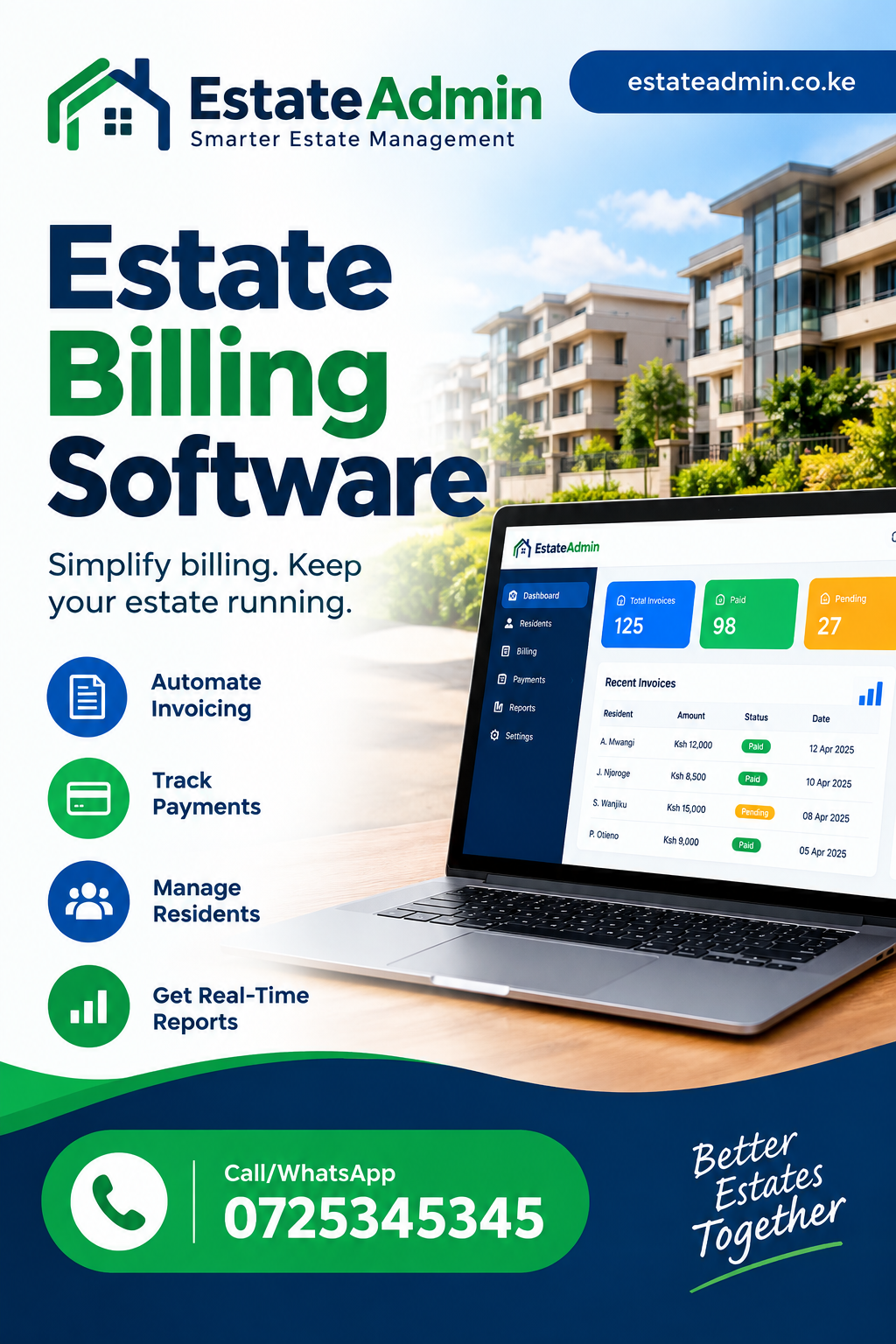
Estate Billing Software: A Practical Guide for Property Managers in Kenya
Managing billing for an apartment complex, gated community, residential estate or mixed-use development can become difficult when records are scattered across spreadsheets, notebooks, WhatsApp messages and separate payment statements. Property managers need to know what each resident owes, what has been paid, which invoices are outstanding and how the estate’s finances are performing. Estate Billing Software gives property managers a structured way to manage these responsibilities while improving visibility over billing, payments, balances and financial records.
For estate managers in Nairobi and other parts of Kenya, accurate billing is especially important because residential communities often have multiple units, different charge categories, varying payment histories and recurring monthly obligations. A good billing system should therefore do more than produce invoices. It should help administrators maintain accurate resident records, generate charges, monitor collections, identify arrears, reconcile payments and produce useful reports.
This guide explains what property managers should know before choosing a billing solution. It covers the challenges of manual estate billing, the features to look for, payment tracking, arrears management, reporting, automation, security, implementation and practical considerations for Kenyan residential communities.
What Is Estate Billing Software?
At its simplest, Estate Billing Software is a digital solution that helps property managers create, organize, track and manage bills issued to residents or property owners.
A billing platform can bring several activities into one system. Instead of maintaining separate spreadsheets for invoices, payment records, balances and arrears, administrators can work from centralized records.
Depending on the platform and configuration, billing may cover:
- Monthly service charges
- Utility charges
- Parking fees
- Security-related charges
- Maintenance contributions
- Common-area expenses
- Special assessments
- Penalties and other approved charges
- Other recurring estate-related fees
The objective is not simply to replace paper invoices. The larger objective is to establish a reliable billing process where charges can be created consistently and financial information can be retrieved quickly.
For a property manager, this can reduce administrative work. For residents, it can make charges and outstanding balances easier to understand.
Why Estate Billing Matters for Kenyan Property Managers
Billing is one of the most important administrative functions in an estate because it directly affects cash flow.
When bills are prepared late, residents may delay payment. When amounts are entered incorrectly, disputes can arise. When payments are not matched correctly to accounts, the management team may not know the actual outstanding balance.
Using Estate Billing Software can help establish a more consistent billing process.
Consider an estate with 150 units. If every unit receives monthly charges and some residents have additional utility or service-related charges, manually calculating every account can take considerable time.
A centralized system can make it easier to:
- Maintain unit and resident information.
- Apply recurring charges.
- Generate invoices.
- Record payments.
- Monitor outstanding balances.
- Identify overdue accounts.
- Produce billing reports.
- Maintain a history of transactions.
This creates a clearer relationship between what was billed, what was collected and what remains outstanding.
The Problems Created by Manual Estate Billing
Many estates begin with spreadsheets because they are affordable and familiar. A spreadsheet can work for a small number of units, but problems often appear as the estate grows.
Data entry errors
Manual calculations can lead to incorrect amounts, duplicated entries or missed charges. Even a small mistake can create a resident dispute.
With Estate Billing Software, recurring billing information can be organized in a more systematic way.
Difficulty tracking payment history
When payment records are stored separately from invoices, administrators may need to compare multiple files before confirming whether an account is settled.
A centralized billing system can connect charges and payments to the relevant resident or unit.
Arrears become harder to monitor
An estate may have dozens of residents with different outstanding amounts. Manually checking every account makes it harder to identify priority accounts.
A digital system can make outstanding balances more visible.
Reporting takes too long
Management committees often need financial information for meetings and decision-making. Preparing reports manually can consume valuable administrative time.
Automated reporting can reduce the amount of manual preparation required.
Core Features to Look For
Choosing Estate Billing Software should begin with the estate’s actual billing requirements rather than a long list of generic software features.
The following capabilities are particularly useful.
1. Resident and unit records
Every invoice should be connected to the correct unit and account.
The system should make it easy to store relevant information such as:
- Unit number
- Resident or owner details
- Contact information
- Account status
- Billing history
- Payment history
- Outstanding balance
This creates a reliable foundation for billing.
2. Recurring billing
Many estate charges repeat every month.
Instead of recreating each bill manually, recurring billing can automate standard charges.
For example, an estate might have a monthly service charge of a fixed amount. Once the appropriate billing rule has been configured, the administrator should be able to generate the charge for the relevant units without rebuilding every invoice from scratch.
3. Multiple charge types
Not every resident necessarily has the same bill.
A property manager may need to distinguish between service charges, utility charges, parking fees and other approved charges.
The software should make different billing categories easy to manage without creating unnecessary complexity.
4. Invoice generation
Invoices should clearly communicate:
- The account being billed
- Billing period
- Individual charges
- Previous balance where applicable
- Payments received
- Current amount due
- Payment instructions
- Due date
Clear invoices reduce confusion and make payment follow-up easier.
5. Payment recording
A billing system should make it easy to record payments against the correct account.
This is especially important where an estate receives many payments through different channels.
Using Estate Billing Software can help property managers maintain a clearer connection between billing records and payment records.
Estate Billing and M-Pesa Payments in Kenya
M-Pesa is an important consideration for many Kenyan property managers because residents frequently use mobile money for payments.
However, receiving money is only one part of the process.
The estate also needs to know:
- Who made the payment?
- Which unit does it belong to?
- What invoice or balance should it settle?
- Was the full amount paid?
- Is there still an outstanding balance?
- Was the payment recorded correctly?
A billing system should therefore support a process where payment information can be matched with the relevant account.
For an estate with many units, manual matching can become difficult. Estate Billing Software can help establish a structured record of billing and payment activity.
The exact payment integration available will depend on the software provider and configuration, so property managers should confirm the supported payment methods before implementation.
How Automated Billing Can Save Administrative Time
Imagine a property manager responsible for 300 apartments.
Every month, the manager has to prepare recurring charges, check account balances, send invoices, follow up overdue accounts and prepare reports.
A manual workflow could involve several spreadsheets and repeated calculations.
A centralized billing system changes the workflow.
Instead of recreating every record, the administrator can maintain recurring billing rules and generate charges systematically.
This is one of the main reasons Estate Billing Software can be valuable to growing residential communities.
Automation does not remove the need for human oversight. Rather, it allows staff to spend less time on repetitive data entry and more time on exceptions, resident concerns and financial control.
Managing Estate Arrears
Arrears are one of the biggest concerns for property managers.
An estate may have residents who:
- Pay late
- Pay partially
- Miss several billing cycles
- Carry forward previous balances
- Make payments without clear references
Without reliable records, it can be difficult to determine the exact amount outstanding.
With Estate Billing Software, property managers can maintain account-level billing histories and use those records to identify unpaid balances.
Why arrears reports matter
An arrears report can help management answer questions such as:
- Which accounts are overdue?
- How much is outstanding?
- How long has an amount been unpaid?
- Which accounts require follow-up?
- What is the total receivable balance?
This information can support more organized collection efforts.
Avoiding unnecessary disputes
A clear transaction history can also help when a resident challenges a balance.
Instead of relying on memory, the administrator can review the account history and identify the relevant invoices and payments.
Billing Transparency for Residents
Residents want to understand what they are being asked to pay.
A bill that simply shows a total amount without sufficient explanation can create questions.
Good billing communication should make it clear what the resident is paying for.
For example:
| Charge | Amount |
|---|---|
| Monthly service charge | KSh 8,000 |
| Water-related charge | KSh 1,500 |
| Parking fee | KSh 1,000 |
| Previous balance | KSh 500 |
| Total due | KSh 11,000 |
The exact charges will vary between estates.
The key principle is transparency.
Estate Billing Software can support structured billing records that make it easier to explain how an account balance was calculated.
Using Billing Data for Estate Management
Billing information can provide more than individual invoices.
When properly organized, it can help management understand broader financial patterns.
For example, reports may help identify:
- Monthly collections
- Outstanding balances
- Payment trends
- High-arrears accounts
- Billing totals
- Collection performance
- Transaction histories
This turns billing information into a management resource.
A committee reviewing the estate’s financial position can use accurate reports to ask better questions and make better decisions.
Reports Every Property Manager Should Consider
A useful billing platform should provide reports that are understandable and actionable.
Outstanding balance report
Shows accounts with unpaid amounts.
Payment report
Provides information about payments recorded during a selected period.
Billing report
Shows invoices or charges generated for units.
Arrears report
Highlights overdue accounts and balances.
Account statement
Provides a transaction history for an individual resident or unit.
Collection summary
Helps management understand how much was billed compared with how much was collected.
With Estate Billing Software, the objective should be to turn these reports into practical management information rather than simply producing documents for filing.
Estate Billing Software and Financial Reconciliation
Billing and reconciliation are closely connected.
Suppose an estate issues KSh 2 million worth of invoices during a month. Payments received may not equal that amount because some residents pay late, some pay partially and others may have older balances.
The management team therefore needs to distinguish between:
- Amount billed
- Amount received
- Amount allocated
- Amount outstanding
- Previous balances
Estate Billing Software can help create organized transaction records that support this process.
A strong billing workflow should make it easier to investigate differences instead of forcing administrators to manually compare multiple spreadsheets.
Handling Partial Payments
Residents do not always pay the full invoice amount.
A system should therefore accommodate partial payments without losing the original billing information.
For example:
- Invoice: KSh 20,000
- Payment: KSh 12,000
- Remaining balance: KSh 8,000
The account should continue showing the outstanding KSh 8,000 rather than treating the invoice as fully settled.
This sounds simple, but accurate handling of partial payments becomes increasingly important as the number of units increases.
A structured system such as Estate Billing Software can help property managers maintain clearer account balances.
Billing for Different Types of Properties
Not every property has the same billing model.
Apartment buildings
Apartment buildings may have monthly service charges, utilities, parking fees and other shared costs.
Gated communities
Gated estates may have security, landscaping, common-area maintenance and other recurring expenses.
Mixed-use developments
Mixed-use developments may have residential units, commercial spaces and shared facilities.
Managed rental properties
Landlords or managers may need billing records for rent, utilities and additional charges.
The billing system should therefore be flexible enough to accommodate the estate’s actual operating structure.
Choosing Billing Rules Carefully
Automation is useful only when the underlying rules are correct.
Before activating automated billing, management should document:
- Which charges apply.
- Which units receive each charge.
- How often charges are generated.
- When bills become due.
- How partial payments are treated.
- How arrears are carried forward.
- Which staff members can modify charges.
- How corrections are approved.
A system should reflect the estate’s approved billing policy rather than allowing random changes by different administrators.
Reducing Billing Errors
Errors can damage trust between residents and management.
Common billing mistakes include:
- Charging the wrong unit
- Duplicating an invoice
- Using an outdated rate
- Recording a payment against the wrong account
- Forgetting a recurring charge
- Failing to carry forward an outstanding balance
- Miscalculating totals
Using Estate Billing Software can reduce dependence on manual calculations, provided the software is configured correctly and staff follow appropriate procedures.
Software does not automatically guarantee accurate records. Good configuration, permissions and review processes remain essential.
User Roles and Access Control
Property management involves multiple people.
An estate may have:
- Property managers
- Accountants
- Administrators
- Committee members
- Support staff
Not everyone should necessarily have the same access.
For example, an administrator might create invoices while a senior manager approves adjustments.
Role-based permissions can help limit access to sensitive financial functions.
With Estate Billing Software, property managers should ask how user permissions are handled before choosing a system.
Important questions include:
- Can different users have different permissions?
- Can financial adjustments be restricted?
- Can administrators be added or removed?
- Are important actions recorded?
- Can management review changes?
Audit Trails and Accountability
Financial records should be traceable.
If an invoice is changed, management should ideally be able to determine what happened and who made the change, depending on the system’s capabilities.
Audit trails can be useful when investigating:
- Billing adjustments
- Deleted transactions
- Payment changes
- User activity
- Account corrections
This is particularly valuable in larger estates where several staff members access the platform.
Estate Billing Software should therefore be evaluated not only on billing features but also on accountability and record integrity.
Mobile-Friendly Billing
Property managers are not always sitting at a desk.
They may be:
- Visiting properties
- Meeting contractors
- Inspecting common areas
- Speaking with residents
- Attending committee meetings
A mobile-friendly system can make it easier to access important information while away from the office.
Residents may also expect digital communication and convenient access to account information.
When comparing billing platforms, test the system on both desktop and mobile devices rather than assuming that a desktop interface will work equally well on a phone.
Security and Data Protection
Billing systems contain valuable information.
Depending on the platform, records may include resident names, contact details, transaction histories and financial information.
Property managers should therefore ask vendors about:
- User authentication
- Password controls
- Access permissions
- Data backups
- System availability
- Data protection practices
- Account security
- Administrative controls
Estate Billing Software should be assessed as part of the estate’s broader information management environment, not as an isolated invoicing tool.
The estate should also ensure that staff understand basic security practices, such as protecting passwords and avoiding unauthorized account sharing.
Integrating Billing With Other Estate Operations
Billing rarely exists in isolation.
Property management can also involve:
- Resident management
- Unit management
- Maintenance
- Service charges
- Payment tracking
- Communication
- Financial reporting
- Document management
When these activities are connected, staff can access a more complete picture of the estate.
For example, a unit record can provide context for the resident, billing status and transaction history.
This can reduce duplicated data entry and improve consistency.
The Role of Automation in Monthly Billing
A recurring monthly process might look like this:
- Confirm active units.
- Apply approved recurring charges.
- Add applicable variable charges.
- Generate invoices.
- Review exceptions.
- Send bills to residents.
- Receive payments.
- Allocate payments.
- Review outstanding balances.
- Follow up arrears.
- Generate management reports.
A digital workflow can organize these steps.
Estate Billing Software becomes especially useful when an estate has enough units that repeating these tasks manually consumes significant administrative time.
Handling Changes in Charges
Estate charges can change.
Management may approve a new service charge, revise a utility rate or introduce a new approved fee.
Before changing billing rules, administrators should establish:
- Effective date
- Affected units
- New amount
- Reason for change
- Approval authority
- Communication plan
Changes should not be applied casually because billing errors can affect many accounts simultaneously.
A controlled billing platform can help management implement changes systematically.
Billing and Resident Communication
A bill should not be treated as an isolated financial document.
Good communication can help residents understand:
- What they owe
- Why they owe it
- When payment is due
- How they can pay
- What happens if payment is late
Clear communication can reduce repetitive questions to estate administrators.
For example, an invoice can include a concise description of charges rather than presenting only a total.
Estate Billing Software can support a more structured billing process when communication and account records are managed together.
How to Evaluate Different Billing Platforms
Before purchasing a system, create a checklist based on your estate’s needs.
Ask each provider whether the platform supports:
| Requirement | Why It Matters |
|---|---|
| Unit management | Connects bills to properties |
| Resident records | Maintains account ownership |
| Recurring billing | Reduces repetitive work |
| Invoice generation | Creates clear bills |
| Payment tracking | Shows settlement status |
| Arrears monitoring | Identifies overdue accounts |
| Reporting | Supports management decisions |
| User permissions | Controls access |
| Audit history | Improves accountability |
| Mobile access | Supports field work |
| Payment integrations | Simplifies collection |
| Data backups | Protects records |
Estate Billing Software should be evaluated against these practical requirements rather than selected solely because it has a large feature list.
Questions to Ask a Software Provider
A demonstration should be more than a presentation.
Ask the provider to demonstrate a realistic scenario.
For example:
Create a unit, add a resident, generate a monthly charge, issue an invoice, record a partial payment, leave an outstanding balance, and produce an account statement.
This single exercise can reveal how well the system handles the complete billing cycle.
Also ask:
- Can billing rules be customized?
- Can different charges be assigned to different units?
- Can invoices be corrected?
- Can partial payments be recorded?
- Can historical statements be generated?
- Can reports be exported?
- What payment methods are supported?
- What happens when a resident changes units?
- Can users have different permissions?
- How is data backed up?
Implementation: Start With Clean Data
One of the most important implementation steps is preparing accurate information before importing it.
Review:
- Unit numbers
- Resident records
- Owner information
- Existing balances
- Billing categories
- Recurring charges
- Payment records
- Arrears
If the starting data is inaccurate, automation can simply make incorrect information move faster.
A proper migration process should therefore include verification and reconciliation.
Estate Billing Software is most useful when the underlying estate records are organized and accurate.
Training Estate Staff
Even a well-designed system can fail if users do not understand how to operate it.
Training should cover:
- Creating and updating records
- Generating bills
- Recording payments
- Reviewing balances
- Correcting mistakes
- Running reports
- Managing users
- Handling common exceptions
Staff should also understand which actions require approval.
A simple internal procedure can prevent inconsistent billing practices between administrators.
Measuring Billing Performance
After implementation, management should monitor whether the new system is improving operations.
Useful indicators can include:
- Time required to prepare monthly bills
- Number of billing corrections
- Number of unresolved payment mismatches
- Outstanding balances
- Collection trends
- Number of resident billing complaints
- Report preparation time
These indicators can show whether the technology is producing practical value.
Estate Billing Software should therefore be considered part of an operational improvement strategy rather than simply an invoicing replacement.
Common Mistakes When Choosing Billing Software
Choosing based only on price
The cheapest option may not provide the controls, reporting or flexibility an estate needs.
Buying too many unnecessary features
A system should solve actual problems. Extra features are useful only when they contribute to the estate’s objectives.
Ignoring payment workflows
A platform may generate excellent invoices but still create problems if payment allocation is difficult.
Failing to test arrears
Always test accounts with outstanding balances.
Ignoring permissions
Financial records should not necessarily be editable by every user.
Not checking mobile usability
A system that is difficult to use on smaller screens can reduce adoption.
Failing to plan implementation
Moving from spreadsheets to software requires preparation, data cleaning and staff training.
A thoughtful evaluation of Estate Billing Software can help managers avoid selecting a platform that looks impressive during a demonstration but does not fit everyday estate operations.
Cost Considerations
Software pricing can vary considerably depending on the provider, number of units, modules, integrations and support arrangements.
Property managers should avoid choosing solely on a monthly subscription figure.
Instead, consider the total value of the solution.
Potential cost areas include:
- Subscription
- Setup
- Data migration
- Training
- Support
- Payment integrations
- Additional users
- Additional properties
- Optional modules
The right question is not simply, “How much does the software cost?”
A better question is:
“What operational problems will the system solve, and what will those improvements be worth to the estate?”
When Should an Estate Move From Spreadsheets?
There is no universal unit count at which software becomes necessary.
However, warning signs include:
- Billing takes several days every month.
- Residents frequently question balances.
- Staff maintain multiple spreadsheets.
- Payment allocation takes too long.
- Management cannot quickly obtain arrears information.
- Reports require significant manual preparation.
- Different staff maintain different versions of financial records.
When these problems become recurring, a dedicated billing system deserves serious consideration.
Estate Billing Software can provide a more structured foundation for estates that have outgrown manual billing processes.
Practical Example: A 100-Unit Estate
Consider a hypothetical 100-unit residential estate.
Every month, the estate charges residents for common services. Some residents pay immediately. Others pay partially, while several accounts carry arrears.
With spreadsheets, administrators may need to:
- Copy the previous month’s resident list.
- Update charges.
- Calculate individual totals.
- Create invoices.
- Record incoming payments.
- Match payments to residents.
- Update balances.
- Prepare arrears reports.
- Answer resident queries.
A centralized workflow can bring these activities together.
Estate Billing Software can help illustrate the broader principle that organized digital records are valuable when billing becomes a recurring administrative workload.
The important point is not the hypothetical estate’s size. It is the complexity created when multiple billing activities must be coordinated accurately.
Why Accurate Statements Matter
An account statement gives a resident or owner a historical view of financial activity.
It can show:
- Opening balance
- Charges
- Payments
- Adjustments
- Closing balance
Statements are particularly useful when residents question an outstanding amount.
Instead of relying on verbal explanations, the administrator can refer to a transaction history.
Estate Billing Software can therefore contribute to better record visibility when billing and transaction history are maintained together.
Improving Management Committee Meetings
Management committees often need concise financial information.
Instead of presenting several disconnected spreadsheets, administrators can prepare structured reports showing:
- Total billed
- Total collected
- Outstanding balances
- Arrears
- Payment activity
- Account trends
This makes meetings more focused.
Committee members can spend less time trying to understand raw transaction data and more time discussing actions.
Supporting Better Cash Flow Planning
Billing records can also help management understand expected collections.
If recurring charges are known, management can estimate expected billing for a period and compare it with actual receipts.
Outstanding balances can then highlight the gap between expected and actual collections.
Estate Billing Software can form part of a broader financial management process that helps property managers monitor these differences.
The software itself does not solve cash-flow problems automatically. It provides organized information that managers can use to address them.
Billing for Utilities
Utility billing can add another layer of complexity.
Depending on the estate, administrators may need to manage:
- Water
- Electricity
- Garbage collection
- Shared utilities
- Other consumption-related charges
Where charges depend on usage, the system should support the estate’s chosen calculation method.
Managers should confirm how variable charges are entered, reviewed and included in resident invoices.
This can be particularly important where residents expect a clear explanation of how consumption-related charges were calculated.
Estate Billing Software can help organize such billing workflows when configured to match the estate’s operating model.
Billing Adjustments and Corrections
Mistakes sometimes happen.
An administrator may enter an incorrect charge or a payment may need to be reassigned.
A good system should make corrections controlled and traceable.
Management should know:
- Who made the correction
- What changed
- Why it changed
- When it changed
- Whether approval was required
Avoid systems where important financial information can be changed casually without adequate controls.
Estate Billing Software should be evaluated partly on how safely it handles corrections and adjustments.
What Residents Expect From Modern Billing
Residents increasingly expect convenience.
They want bills that are:
- Clear
- Accurate
- Accessible
- Timely
- Easy to understand
They may also prefer digital communication and convenient payment options.
Property managers should therefore consider the resident experience when evaluating billing software.
A system that makes life easier for administrators but creates confusion for residents may not deliver the best overall result.
Creating a Better Billing Workflow
A strong estate billing workflow can follow this structure:
Step 1: Maintain accurate unit records
Every property should have a unique and consistent record.
Step 2: Maintain resident information
Connect the relevant resident or owner to the correct unit.
Step 3: Define billing rules
Document recurring and variable charges.
Step 4: Generate invoices
Create bills according to approved rules.
Step 5: Communicate bills
Send residents clear information about their obligations.
Step 6: Record payments
Allocate incoming payments to the correct account.
Step 7: Monitor balances
Identify fully paid, partially paid and overdue accounts.
Step 8: Follow up arrears
Use reports to prioritize collection activities.
Step 9: Reconcile
Compare billing, payments and outstanding balances.
Step 10: Report
Provide management with reliable financial information.
A platform such as Estate Billing Software can support this workflow when properly configured.
How to Make the Transition From Manual Billing
Moving from spreadsheets should be planned rather than rushed.
Start by documenting the existing process.
Ask:
- How are invoices currently generated?
- How are payments recorded?
- How are arrears calculated?
- Where are resident records stored?
- How are reports prepared?
- Which steps cause the most errors?
Then identify the areas where automation can create the greatest improvement.
A phased rollout can be useful. Management may begin with resident records and billing before expanding into additional property-management functions.
Estate Billing Software can be evaluated within this broader transition from fragmented records to centralized administration.
Questions About Data Migration
Before moving historical information into a new platform, clarify:
- What data can be imported?
- What format is required?
- Can opening balances be imported?
- Can payment history be migrated?
- Can resident records be imported in bulk?
- How will duplicate records be handled?
- Who verifies migrated information?
Historical data should be checked after migration.
Do not assume that a successful import automatically means that every account is correct.
The Importance of Support
Software implementation does not end when an account is created.
Property managers may need support when:
- A billing rule needs changing
- A payment is misallocated
- A user cannot access the system
- A report is unclear
- New units are added
- Staff members change
Ask providers about their support channels, response expectations and training resources.
A responsive support process can be particularly valuable during the first few billing cycles.
Estate Billing Software should therefore be assessed not only on its interface but also on the support available around the platform.
Frequently Asked Questions
1. What is Estate Billing Software used for?
Estate Billing Software is used to manage billing activities such as generating charges, creating invoices, recording payments, tracking balances, monitoring arrears and preparing reports. The exact capabilities depend on the provider and configuration.
2. Can estate billing software manage service charges?
Yes. A suitable platform can be configured to manage recurring service charges and other approved estate-related fees. Managers should confirm whether the software supports the estate’s specific charging structure.
3. Can M-Pesa payments be tracked?
Many property-management platforms support payment workflows involving mobile money, but the exact integration differs between providers. Before purchasing, confirm how M-Pesa transactions are received, matched and reconciled.
4. Can the system track resident arrears?
Yes, arrears tracking is a core requirement for many estate billing systems. A useful platform should help identify outstanding balances and provide account histories that support collection follow-up.
5. Can residents receive invoices electronically?
Depending on the platform, invoices may be delivered through digital channels. Property managers should confirm which communication methods are supported and whether they can customize invoice information.
6. Is billing software suitable for small estates?
It can be. The decision should depend on the complexity of the estate’s billing process rather than unit count alone. Even a smaller estate can benefit if manual billing creates errors or consumes too much administrative time.
7. Can billing software handle partial payments?
A properly designed system should support partial payments and maintain the remaining balance. Always test this scenario during a software demonstration before implementation.
8. Can property managers generate statements?
Many systems provide account statements showing charges, payments and balances. Managers should verify that statements contain the information residents need and can be generated for the required periods.
9. Does estate billing software replace accounting software?
Not necessarily. Some property-management platforms include accounting-related functions, while others focus primarily on property administration and billing. The correct choice depends on the estate’s requirements and existing accounting setup.
10. How should an estate choose billing software?
Start by documenting your current billing process and its biggest problems. Then compare systems based on recurring billing, invoicing, payments, arrears, reporting, permissions, integrations, usability, support and total cost.
Final Thoughts
Effective estate billing is about much more than producing invoices. It is about creating a reliable financial record connecting units, residents, charges, payments and outstanding balances.
For Kenyan property managers, the right digital solution can reduce repetitive administrative work, improve visibility and provide management with information that is easier to understand and act on.
The strongest implementation starts with clean data, clearly defined billing rules and properly trained users. Managers should test realistic scenarios before committing to a platform and should pay close attention to payment allocation, arrears, statements, reports, permissions and auditability.
Ultimately, Estate Billing Software should help an estate answer basic financial questions quickly: What was billed? What has been paid? What remains outstanding? Which accounts need attention? And what does management need to know about the estate’s financial position?
When those answers are available from organized and reliable records, property managers can spend less time searching through spreadsheets and more time managing the estate effectively.
Estate Billing Software
Estate Billing Software
Estate Billing Software
Estate Billing Software
Estate Billing Software
Estate Billing Software
Estate Billing Software
Estate Billing Software
Estate Billing Software
Estate Billing Software