
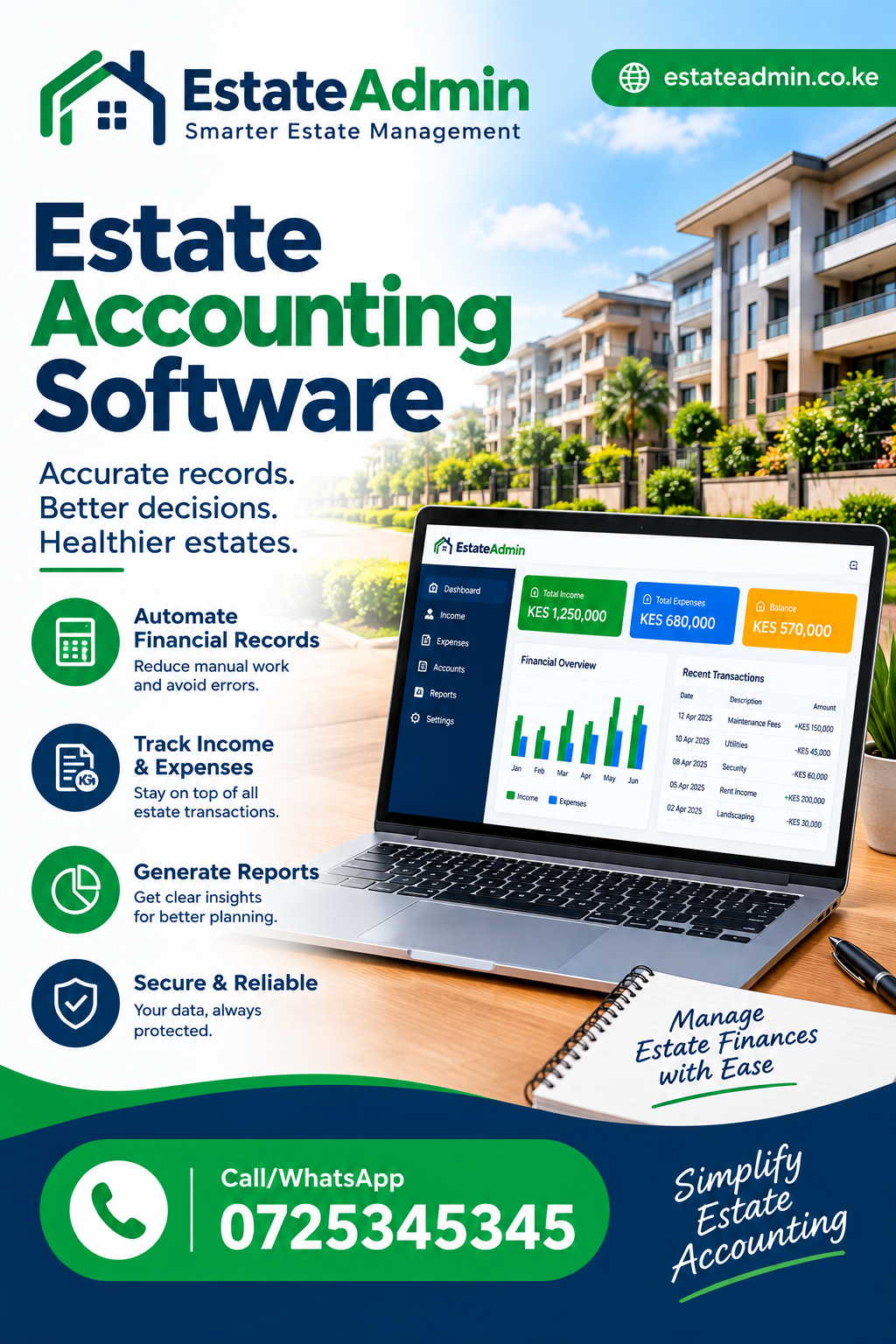
Estate Accounting Software: A Complete Guide for Kenyan Property Managers
Managing the finances of an estate involves far more than recording money received and money spent. Property managers, estate administrators, accountants and committees must keep track of residents, service charges, invoices, payments, outstanding balances, expenses, statements and reports. Estate Accounting Software brings these activities into a more structured digital workflow, helping estate teams replace scattered spreadsheets and manual records with centralized financial information. For Kenyan estates, the right system can make it easier to understand what has been billed, what has been paid, what remains outstanding and what financial information needs attention.
For an estate manager handling dozens or hundreds of residential units, small accounting mistakes can quickly become administrative problems. A payment may be recorded against the wrong unit. An invoice may be missed. A resident may dispute an outstanding balance because previous payments are difficult to trace. A committee may request a monthly financial report that takes several hours to prepare manually. These challenges explain why financial management deserves a dedicated digital process.
This guide explains what Estate Accounting Software means in practical terms, why it matters for Kenyan estates, the features property managers should look for, how service-charge accounting works, how payments and reconciliation should be handled, and how a management team can choose a system that fits its operations.
What Is Estate Accounting Software?
At its simplest, Estate Accounting Software is a digital platform used to organize and manage the financial activities associated with a residential estate, gated community, apartment development or property management operation.
However, it is more useful to think of it as a financial control system rather than simply an electronic ledger.
A well-designed platform connects financial activities that would otherwise be handled separately. These can include:
- Resident and unit records
- Service-charge schedules
- Recurring charges
- Invoice generation
- Payment recording
- Outstanding balances
- Arrears monitoring
- Resident statements
- Expense records
- Financial reports
- Payment reconciliation
- User access and accountability
- Data exports
The important point is the connection between these activities.
Suppose an estate has 150 residential units. Each month, the management team needs to raise service-charge invoices. Residents then make payments through available channels, including bank transfers or M-Pesa-based collection arrangements. The finance team needs to know which invoices have been settled, which residents have paid partially, and which accounts remain outstanding.
Without a connected system, the team might maintain one spreadsheet for invoices, another for payments, email confirmations separately and perhaps a third file for committee reporting. This creates opportunities for inconsistencies.
With Estate Accounting Software, financial records can be organized around the underlying estate, resident and transaction information, making the monthly billing cycle easier to follow.
Why Estate Accounting Matters in Kenyan Property Management
Kenyan estates face a practical financial management challenge: property managers must maintain accurate records while dealing with recurring service charges, different resident categories, payment confirmations and committee reporting.
The problem is not always a lack of accounting knowledge. Often, the problem is the amount of information being managed manually.
Consider a typical gated community.
There may be:
- Hundreds of residential units
- Several service-charge categories
- Different billing amounts
- Monthly invoices
- Partial payments
- Historical arrears
- Maintenance expenses
- Security expenses
- Cleaning costs
- Landscaping expenses
- Utility-related costs
- Vendor payments
- Committee reporting requirements
When records are fragmented, it becomes difficult to obtain one reliable view of the estate’s financial position.
Estate Accounting Software can help centralize the financial workflow so that management teams can work from consistent records instead of repeatedly reconciling different spreadsheets.
EstateAdmin’s current platform, for example, is built around a workflow connecting service charges, invoices, payments, arrears, resident statements and reporting.
That approach is particularly useful when an estate’s management team wants to establish a repeatable monthly process.
The Difference Between Estate Accounting and General Accounting Software
It is important to distinguish estate-specific financial management from general accounting.
Traditional accounting software can be excellent for recording business transactions, managing ledgers, preparing financial statements and tracking expenses. However, an estate management team also needs operational information connected to those transactions.
For example, an estate administrator may need to answer:
- Which unit was billed?
- Which resident is associated with that unit?
- What service charge was raised?
- When was the invoice issued?
- How much has been paid?
- Was the payment partial?
- What balance remains?
- How long has the amount been outstanding?
- What statement should be given to the resident?
- What amount should appear in the committee’s arrears report?
These questions are closely connected to estate administration.
Estate Accounting Software can therefore complement broader accounting processes by organizing property-specific financial activity around residents, units, charges and invoices.
A good estate finance workflow should not force the accountant to repeatedly move information between unrelated systems just to determine a resident’s balance.
Key Features to Look For
When comparing Estate Accounting Software, do not judge a platform only by how attractive its dashboard looks. Focus on whether it can accurately handle the financial processes your estate performs every month.
1. Resident and Unit Records
Financial transactions need context.
A payment of KSh 20,000 means little by itself if the finance team cannot immediately determine which unit and resident it belongs to.
The system should make it easy to connect residents with units and maintain accurate account information.
This provides the foundation for billing and reporting.
A good structure might include:
| Record | Information |
|---|---|
| Estate | Estate name and details |
| Block | Building or section |
| Unit | Apartment or house number |
| Resident | Resident information |
| Category | Relevant billing category |
| Invoice | Amount and due date |
| Payment | Amount and transaction information |
| Balance | Outstanding amount |
The better these relationships are maintained, the easier it becomes to produce accurate financial information.
2. Recurring Service Charges
Many estates operate around recurring service charges.
Instead of creating every charge manually, Estate Accounting Software should support structured recurring billing.
A management team should be able to define the charges applicable to the estate and then generate the appropriate invoices for the billing period.
This reduces repetitive data entry and makes monthly processes more consistent.
Recurring charges may relate to services such as:
- Security
- Cleaning
- Landscaping
- Common-area maintenance
- Estate administration
- Waste management
- Shared utilities
- Other approved estate services
The exact charges depend on the estate’s own financial and operational arrangements.
3. Invoice Generation
An invoice provides a clear record of what a resident has been asked to pay.
Estate Accounting Software should make invoice generation systematic rather than dependent on manually editing documents every month.
A useful invoicing workflow should show:
- Invoice number
- Resident
- Unit
- Charge description
- Amount
- Issue date
- Due date
- Payment status
- Outstanding balance
Bulk invoice generation is particularly useful for estates with many units. EstateAdmin’s current platform describes bulk invoice generation as part of its billing workflow.
4. Payment Tracking
Once invoices have been issued, the next challenge is tracking collections.
Estate Accounting Software should allow the finance team to record payments against the correct resident account and invoice.
The objective is simple: if a resident pays, the outstanding balance should reflect that payment accurately.
This becomes particularly important when residents make partial payments.
For example, imagine an invoice of KSh 15,000.
A resident pays KSh 10,000.
The system should not treat the account as completely settled. It should preserve the transaction and show the remaining KSh 5,000 balance.
That small distinction is critical when managing arrears.
5. Payment Reconciliation
Payment reconciliation is one of the most important financial controls in an estate.
Estate Accounting Software should help the finance team compare recorded payments with the amounts expected from invoices and external payment records.
A reconciliation process can help identify:
- Missing payments
- Duplicate entries
- Incorrect allocations
- Partial payments
- Unmatched transactions
- Outstanding balances
The goal is not simply to record money. The goal is to maintain a reliable relationship between invoices, receipts and balances.
EstateAdmin’s current product information specifically describes applying payments to invoices so balances remain aligned with collections.
6. Arrears Management
Arrears are a major concern for estate committees because unpaid charges can affect the estate’s ability to meet its own obligations.
Estate Accounting Software should make outstanding balances easy to identify.
Instead of manually sorting a spreadsheet, a finance team should be able to view accounts requiring follow-up.
A useful arrears process includes:
- Identify outstanding invoices.
- Review the resident’s account history.
- Confirm whether a payment has been received.
- Check whether the payment was correctly allocated.
- Issue a statement where necessary.
- Follow the estate’s approved collection procedure.
- Record relevant follow-up actions.
Arrears reporting becomes more useful when it is based on actual transaction history rather than manually calculated figures.
How Estate Accounting Software Improves Service-Charge Management
Service charges are often at the center of estate financial administration.
A service-charge process usually begins with defining the charges applicable to residents. Invoices are then generated, residents make payments and the management team monitors outstanding balances.
Estate Accounting Software can bring these steps together.
A practical monthly workflow can look like this:
Step 1: Verify the resident and unit register
Before billing, confirm that the estate records are current.
Step 2: Confirm charge rules
Check recurring amounts and applicable resident categories.
Step 3: Generate invoices
Create the invoices for the relevant billing period.
Step 4: Monitor payments
Record payments as they are received.
Step 5: Reconcile
Compare payments with invoices and supporting transaction records.
Step 6: Review arrears
Identify accounts with unpaid or partially paid balances.
Step 7: Generate statements
Provide residents with clear records where required.
Step 8: Prepare management reports
Summarize billing, collections and outstanding balances.
A connected workflow makes it easier to repeat the process every month.
M-Pesa and Estate Financial Management in Kenya
M-Pesa is an important consideration when selecting Estate Accounting Software for a Kenyan estate because many property-related payments may be made electronically.
However, simply accepting digital payments is not enough.
The finance team also needs reliable records.
A useful payment workflow should make it possible to connect a payment with:
- Resident
- Unit
- Invoice
- Amount
- Date
- Transaction reference
- Payment status
This reduces the risk of having a collection record without knowing which account it should affect.
EstateAdmin currently highlights M-Pesa service-charge collection and reconciliation as part of its Kenya-focused payment workflow.
When evaluating a platform, an estate committee should therefore ask not only, “Can residents pay?” but also, “What happens to the payment record after the money is received?”
That second question is critical.
Managing Expenses and Estate Costs
Income is only one side of estate accounting.
The management team also needs to understand what the estate is spending.
Common operational expenses may include:
- Security services
- Cleaning
- Landscaping
- Repairs
- Waste collection
- Common-area electricity
- Water-related costs
- Administrative expenses
- Contractor payments
- Maintenance materials
Estate Accounting Software should support the financial information needed to monitor these costs, either directly or through appropriate accounting workflows.
Expense tracking helps management compare planned expenditure with actual spending.
For example, if an estate has allocated a monthly amount for landscaping but expenditure is consistently higher, the committee can investigate why.
The software does not make the financial decision for the committee. It provides better-organized information for making that decision.
Financial Reporting for Estate Committees
Estate committees need financial information that is understandable.
A report filled with unexplained figures is not particularly useful.
Estate Accounting Software should make it easier to produce reports that answer practical questions.
Examples include:
- How much was billed this month?
- How much has been collected?
- How much remains outstanding?
- Which accounts have arrears?
- How have collections changed over time?
- What expenses have been recorded?
- Which transactions need review?
EstateAdmin describes reporting around invoices, payments, resident statements and outstanding balances, with exports available for reporting purposes.
What Makes a Good Estate Financial Report?
A useful report should be:
Accurate: Figures should come from reliable records.
Clear: Committee members should understand what they are seeing.
Relevant: Reports should focus on decisions the committee needs to make.
Timely: Information should be available when required.
Traceable: Significant figures should be supported by underlying transactions.
These qualities matter more than producing a large number of reports that nobody uses.
Resident Statements and Transparency
Residents sometimes need more than a message saying they owe money.
They may want to know:
- What was billed?
- What was paid?
- When was it paid?
- What balance remains?
- What transactions make up that balance?
Estate Accounting Software can help create a clearer record of this information.
A resident statement can therefore serve as an important communication tool.
Imagine a resident questions an outstanding balance of KSh 12,000.
Instead of searching through several spreadsheets, the administrator can review the account history and explain the balance based on invoices and payments.
That makes financial communication more professional and reduces avoidable disputes.
Reducing Spreadsheet Dependence
Spreadsheets are useful tools, and there is nothing inherently wrong with using them for certain tasks.
The problem arises when an estate’s entire financial operation depends on multiple spreadsheets that must be manually synchronized.
Common risks include:
- Accidental overwriting
- Incorrect formulas
- Duplicate records
- Missing transactions
- Old versions being used
- Unclear ownership
- Manual calculation errors
- Difficult audit trails
Estate Accounting Software provides a structured alternative by keeping relevant financial records within a dedicated workflow.
This does not mean spreadsheets should disappear completely.
Exports can still be useful for analysis, backups, committee packs or other approved processes. The key difference is that the underlying financial record is managed systematically.
Roles and Access Control
Financial information should not necessarily be accessible to every person who uses an estate management platform.
A property manager, accountant, administrator and viewer may have different responsibilities.
Estate Accounting Software should therefore provide appropriate user roles and permissions where the platform supports them.
For example:
| Role | Typical responsibility |
|---|---|
| Administrator | System and estate administration |
| Manager | Operational oversight |
| Accountant | Financial records and reconciliation |
| Viewer | Read-only access to approved information |
The exact role structure should reflect the estate’s governance model.
Role-based access can help reduce accidental changes and make responsibility clearer.
EstateAdmin currently describes separate Admin, Manager, Accountant and Viewer roles as part of its platform.
Audit Trails and Accountability
Financial accountability requires more than accurate numbers.
Management teams should also be able to understand how records changed.
Estate Accounting Software with appropriate activity history can help an organization review important changes.
An audit-oriented record may help answer questions such as:
- Who created an invoice?
- Who recorded a payment?
- When was the transaction entered?
- What changed?
- Who made the change?
This is particularly useful when several employees or committee members interact with the same system.
EstateAdmin’s current platform highlights audit-ready history as one of its controls for accountability.
Multi-Estate Management
A property management company may administer several estates.
Managing each estate in completely separate spreadsheets can make consolidation difficult.
Estate Accounting Software can be particularly useful when it allows financial records to remain clearly separated by estate while still giving authorized managers appropriate portfolio visibility.
For example, a management company may oversee:
- Estate A in Nairobi
- Estate B in Kiambu
- Estate C in Machakos
Each community may have different residents, service charges and reporting requirements.
The finance team should not accidentally combine transactions from different properties.
A multi-workspace or multi-property structure can therefore provide an important operational advantage.
What Should You Consider Before Buying?
Choosing Estate Accounting Software should start with the estate’s workflow rather than a list of fashionable features.
Ask these questions before making a decision.
Does It Match Your Billing Model?
Different estates may use different service-charge structures.
Confirm that the platform can represent the way your estate actually bills residents.
Can It Handle Your Number of Units?
Consider your current portfolio and expected growth.
A system that works for 50 units may need a different configuration when the portfolio reaches several hundred units.
Can It Track Partial Payments?
Partial payments are common enough that this should be tested before implementation.
Can It Produce Resident Statements?
Statements are useful for transparency and collections.
Can It Support Reconciliation?
Payment records should be connected to the invoices and accounts they settle.
Can It Produce Committee Reports?
A platform should support the reporting format your committee actually needs.
Does It Provide User Roles?
Financial responsibilities should be separated where appropriate.
Can Data Be Exported?
Exports can be useful for analysis, reporting and approved external processes.
Is the Workflow Easy to Learn?
A powerful platform that nobody understands is not an effective solution.
How to Evaluate Estate Accounting Software Before Implementation
A practical trial is more useful than relying solely on a sales presentation.
Estate Accounting Software should be tested using realistic estate scenarios.
Create a small sample estate with:
- 10 units
- 10 residents
- Recurring monthly charges
- A few fully paid invoices
- Several partial payments
- At least one unpaid account
- A few expenses
- Different user roles
Then run a complete billing cycle.
Test Scenario 1: New Resident
Create a resident and assign them to a unit.
Confirm that the information appears correctly in billing and reporting.
Test Scenario 2: Monthly Invoice
Generate the monthly invoice.
Check the amount, resident, unit, due date and status.
Test Scenario 3: Full Payment
Record a payment matching the invoice.
Confirm that the balance becomes zero or the appropriate settled status.
Test Scenario 4: Partial Payment
Record only part of the invoice.
Confirm that the remaining balance is correct.
Test Scenario 5: Arrears
Leave one invoice unpaid.
Check whether the account appears correctly in the arrears report.
Test Scenario 6: Statement
Generate a resident statement.
Confirm that invoices, payments and balances reconcile.
Test Scenario 7: Reporting
Run monthly reports.
Compare the report totals with the underlying sample transactions.
Testing these scenarios gives an estate committee much better evidence than simply clicking through menus.
Common Mistakes When Choosing Financial Software
There are several mistakes property managers can avoid.
Choosing Based Only on Price
A low monthly subscription may appear attractive, but the real cost includes staff time, errors, training and administration.
Compare the total operational value.
Choosing Too Many Features
More features do not automatically mean better software.
The most important question is whether the system handles your actual workflow effectively.
Ignoring Reconciliation
A payment feature without a reliable reconciliation process can still leave the finance team with significant manual work.
Ignoring User Permissions
Financial records need appropriate access controls.
Failing to Test Partial Payments
A platform may work perfectly for full payments but create problems when residents pay in installments.
Moving Data Without Cleaning It
If historical spreadsheets contain duplicate or incorrect records, importing them without review can transfer the problem into the new system.
Failing to Train Staff
Even a well-designed system requires users to understand the correct workflow.
Preparing Your Estate for Digital Accounting
Before implementing Estate Accounting Software, clean up the information that will be entered into the platform.
Start with the unit register.
Confirm:
- Unit numbers
- Block names
- Resident names
- Contact information
- Occupancy status
- Applicable charge categories
Next, review outstanding balances.
Do not simply copy an old spreadsheet without understanding how each balance was calculated.
Separate:
- Confirmed outstanding invoices
- Payments awaiting allocation
- Disputed balances
- Historical adjustments
- Duplicate records
The cleaner the starting data, the easier the transition becomes.
A Practical Monthly Workflow
A strong estate finance process can follow a consistent cycle.
Week One: Billing Preparation
Review units, residents and billing categories.
Confirm changes before invoices are generated.
Week Two: Invoice Monitoring
Track issued invoices and monitor incoming payments.
Week Three: Reconciliation
Compare recorded collections against expected payments.
Investigate exceptions.
Week Four: Reporting
Prepare arrears, collections and financial reports for management and committee review.
This cycle can be adjusted according to the estate’s own payment terms.
The important point is consistency.
Estate Accounting Software can support a repeatable process when the software configuration matches the estate’s actual financial procedures.
Example: A 100-Unit Estate
Consider a fictional estate with 100 units.
The estate charges each unit KSh 8,000 per month in service charges.
The expected monthly billing would therefore be KSh 800,000.
Suppose:
- 80 residents pay in full: KSh 640,000
- 10 residents pay KSh 5,000 each: KSh 50,000
- 10 residents make no payment: KSh 0
The recorded collections would be KSh 690,000.
The outstanding amount would be KSh 110,000.
A good financial system should make these relationships easy to verify.
The management team should be able to identify the 10 fully unpaid accounts, see the five-thousand-shilling partial balances, and produce statements showing how each balance was calculated.
The value is not simply the arithmetic.
The value is being able to trace the arithmetic back to actual invoices and payments.
Why Accuracy Matters
A small error repeated across many units can become significant.
Imagine an invoice calculation is wrong by KSh 500 and the same error affects 100 units.
The total difference would be KSh 50,000.
This example illustrates why automated billing rules and controlled data entry can be valuable.
Estate Accounting Software can reduce the amount of repetitive manual calculation required, although software should still be configured and reviewed carefully.
Automation does not eliminate the need for financial controls.
Instead, it changes where the controls happen.
Management teams should still review billing rules, exceptions, unusual transactions and reports.
Estate Accounting Software and Decision-Making
Financial records are most valuable when they support decisions.
A committee may need to decide whether:
- Service-charge collections are sufficient
- Arrears require stronger follow-up
- A maintenance budget needs review
- A recurring expense is increasing
- A vendor cost needs investigation
- A reserve allocation requires discussion
Good reporting provides evidence for these discussions.
Estate Accounting Software should therefore be evaluated partly on how quickly decision-makers can move from raw transactions to understandable information.
Improving Communication Between Managers and Accountants
Property management often involves several people.
The estate manager may oversee operations.
The accountant may focus on payments and reconciliation.
The committee may review financial performance.
The administrator may handle resident records.
If each person maintains separate information, disagreements can occur over which figure is correct.
A shared financial platform can establish a common source of operational records.
Estate Accounting Software can help teams work from the same resident, invoice and payment information, subject to the permissions assigned to each user.
This can reduce unnecessary back-and-forth and make financial reviews more structured.
Security and Data Management
Financial and resident information should be handled carefully.
When evaluating Estate Accounting Software, ask how the provider handles user access, account security, backups, data retention and exports.
Also consider internal controls.
Good practices include:
- Strong passwords
- Appropriate user permissions
- Removing access when staff leave
- Reviewing administrator accounts
- Maintaining documented procedures
- Regularly checking reports
- Keeping approved backups or exports where required
Technology should support governance rather than replace it.
Cloud-Based Estate Accounting
Cloud-based platforms can make estate financial information accessible to authorized users without requiring a single office computer to contain the entire working system.
This can be useful for property managers who need to work between offices, estates and meetings.
Estate Accounting Software delivered through a cloud-based platform can also make centralized reporting more practical.
EstateAdmin describes its platform as cloud-based and designed to centralize billing and reporting workflows.
Before implementation, however, management should still confirm connectivity, access procedures and the organization’s internal data policies.
How Software Can Improve Resident Experience
Accounting is not only an internal function.
Residents experience the quality of financial administration directly.
If statements are unclear, invoices are inconsistent or payments are difficult to trace, residents may lose confidence in the management process.
Estate Accounting Software can support a clearer resident experience by making billing records more consistent.
A resident should ideally be able to understand:
- What they were billed
- Why they were billed
- What they paid
- What remains outstanding
- What their current balance is
Clarity can reduce unnecessary disputes and make collection conversations more productive.
What About Small Estates?
Small estates sometimes assume dedicated software is unnecessary.
That is not always the case.
A smaller community may still have:
- Monthly service charges
- Shared expenses
- Resident statements
- Arrears
- Committee meetings
- Vendor payments
- Financial reporting
The question is not simply how many units an estate has.
The more useful question is how much financial complexity the management team handles.
Estate Accounting Software can be valuable when the time spent maintaining manual records begins to outweigh the simplicity of spreadsheets.
What About Large Estates?
Larger estates face the opposite challenge.
As the number of units increases, manual administration becomes increasingly difficult.
Large estates need stronger controls around:
- Bulk billing
- Payment allocation
- Arrears
- Reporting
- User permissions
- Audit history
- Data organization
Estate Accounting Software should therefore be tested against realistic transaction volumes before deployment.
Do not assume that a platform suitable for a small estate will automatically be suitable for a large property management portfolio.
A Simple Comparison Checklist
Before selecting a system, score each platform against the following areas:
| Area | What to Check |
|---|---|
| Resident records | Can residents and units be organized accurately? |
| Billing | Can recurring charges be managed? |
| Invoicing | Can invoices be generated efficiently? |
| Payments | Can payments be recorded against accounts? |
| Partial payments | Are remaining balances calculated correctly? |
| Reconciliation | Can transactions be matched and reviewed? |
| Arrears | Can outstanding accounts be identified? |
| Statements | Can clear resident statements be generated? |
| Reporting | Can management and committee reports be produced? |
| Roles | Can access be separated by responsibility? |
| Audit history | Can important changes be traced? |
| Exports | Can information be exported when required? |
| Scalability | Can the system support future growth? |
| Usability | Can staff learn the workflow easily? |
This checklist gives an estate committee a practical framework for comparing solutions.
Frequently Asked Questions
What is Estate Accounting Software?
Estate Accounting Software is software designed to organize financial activities related to estates, residential communities and property management. It can connect residents, units, service charges, invoices, payments, balances, arrears, statements and reports within a structured workflow.
Can Estate Accounting Software handle service charges?
Yes, a suitable platform can support recurring service-charge billing, invoice generation, payment tracking, outstanding balances and reporting. The exact capabilities depend on the software configuration.
Can it track M-Pesa payments?
Some systems are designed to support M-Pesa-related payment workflows and reconciliation. EstateAdmin currently highlights M-Pesa service-charge collection and payment reconciliation among its Kenya-focused capabilities.
Can residents receive statements?
Yes. Resident statements are an important part of estate financial administration because they can show billed amounts, recorded payments and resulting balances.
Is Estate Accounting Software suitable for gated communities?
Yes. Estate-focused financial systems can be particularly useful for gated communities because service charges, residents, invoices, payments and committee reporting are closely connected.
Can the software manage arrears?
A suitable system should provide visibility into outstanding balances and help management identify accounts requiring follow-up. EstateAdmin currently describes arrears visibility as part of its service-charge workflow.
Does estate accounting software replace an accountant?
No. Software supports financial administration; it does not replace professional judgment, financial controls or the responsibilities of an accountant. It can reduce repetitive administrative work and improve access to organized records.
What should I test before choosing a system?
Test a complete billing cycle using realistic data. Create residents, generate invoices, record full and partial payments, leave some accounts unpaid, reconcile transactions, generate statements and review reports.
Is cloud-based estate accounting useful?
Cloud-based software can make authorized financial information available from different locations and help teams centralize their workflows. However, organizations should still review access controls, security practices and internal data policies.
How much does estate accounting software cost?
Pricing varies according to the provider, number of units, features, support arrangements and other commercial factors. Instead of choosing purely on price, compare the total operational value and whether the platform handles your actual estate workflow.
How EstateAdmin Fits the Estate Finance Workflow
EstateAdmin’s current platform is positioned around service-charge billing and estate financial administration. Its published workflow connects service charges, invoices, payments, arrears, resident statements and reporting.
The platform also describes features such as bulk invoice generation, payment tracking, resident ledgers, role-based access, audit-ready history and reporting.
For an estate committee considering a new system, this type of connected workflow is worth evaluating because financial management is rarely a single isolated activity.
Billing affects invoices.
Invoices affect payments.
Payments affect balances.
Balances affect arrears.
Arrears affect collections.
Collections affect financial reporting.
Reports influence management decisions.
The stronger the connection between these steps, the easier it becomes to maintain consistent records.
Final Thoughts
Effective financial management is one of the foundations of a well-run residential estate. Residents need clear bills and statements. Property managers need reliable records. Accountants need accurate payment information. Committees need understandable reports. Management companies need consistent processes across the properties they oversee.
Estate Accounting Software can bring these requirements into one structured workflow, particularly when it is designed around the realities of estate billing and service-charge management.
The best solution is not necessarily the platform with the longest feature list. It is the one that accurately supports the estate’s real processes.
Before choosing a system, map the monthly workflow from resident records to billing, invoicing, payments, reconciliation, arrears and reporting. Then test that workflow with realistic figures.
For Kenyan estates, also consider the payment methods residents use, the need for clear statements, the importance of M-Pesa-related collection processes, the reporting expectations of committees and the number of people who need access to financial information.
A strong implementation can reduce unnecessary manual work, improve financial visibility and make it easier for management teams to explain where the estate stands financially.
For property managers who are still relying heavily on disconnected spreadsheets, the move to a structured financial platform can be a significant operational improvement. The objective is simple: know what has been billed, know what has been paid, understand what remains outstanding, and have reliable information available when the management team needs to make a decision.
That is the practical value of Estate Accounting Software: turning estate financial administration from a collection of disconnected tasks into a repeatable, traceable and easier-to-manage process.
Estate Accounting Software
Estate Accounting Software
Estate Accounting Software
Estate Accounting Software
Estate Accounting Software
Estate Accounting Software